August 3, 2026
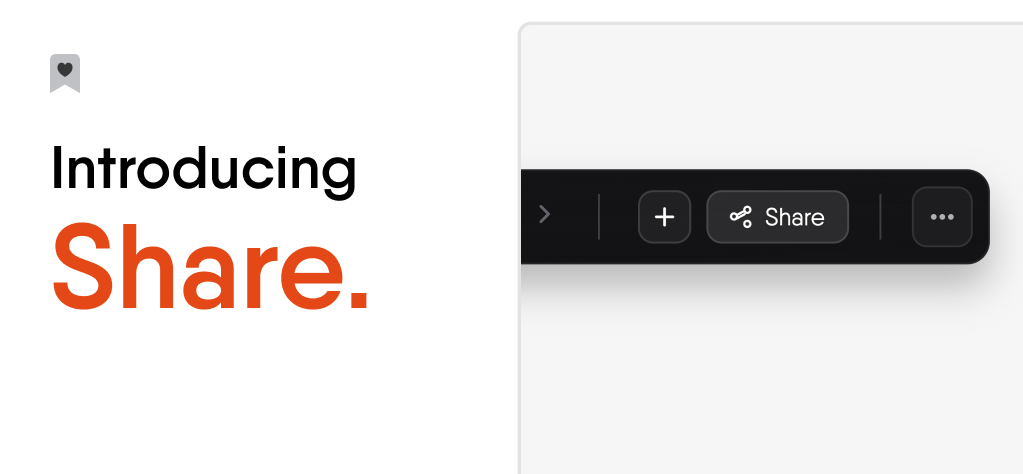
This release is about getting your bookmarks out of the extension and in front of other people. There's a new Share button that turns your collection into a link anyone can open, Boards are no longer a Teams-only feature, and you can now add a website by pasting its URL instead of having to go visit the page first.
Until now, everything you saved lived inside your own extension. If you wanted to show a client, a colleague, or a friend what you'd collected, you were screenshotting or copying links one at a time.
There is now a Share button in the toolbar. Flip link sharing on and you get a URL to a read-only version of your collection — full previews, images, the same layout you're used to. Whoever you send it to opens it in any browser. They don't need Bookmarkify, they don't need an account, they don't need to sign up for anything.
A few things worth knowing:
If you're on Pro or Pro Team, the share dialog has one extra control: Include my boards. Off by default, because publishing client work shouldn't be something that happens by accident. Turn it on and the dialog tells you exactly which boards get folded into that one link before you commit to it.
Boards were built for agencies — a separate board per client, each with its own share link, so a client only ever sees their own work. That was a Teams feature. But a freelancer juggling four clients has the same problem an agency does, so Boards are now part of individual Pro.
You get unlimited boards. Your board row sits above your bookmarks and reads something like My bookmarks · Acme · Northwind · + New board — click through to switch, and whatever you're looking at is where new saves land. When you save from the extension, the board picker lets you aim it directly.
Each board gets its own share link. Your client clicks it, lands on the board, and that's all they can see — no other boards, no other clients, no account signup.
What they can do on that board depends on your plan:
That's the difference between showing a client your work and actually collaborating with them on it. Either way you get up to 50 guests per board and unlimited comments.
Pro Team also gets white-label boards — put your own logo, agency name, and brand colour on the board your client opens, so it reads as your tool rather than ours.
The extension has always been the fastest way to save a page you're already looking at. But that's not always the situation. Someone sends you three links in Slack. You've got a URL in a doc. You know the site you want to add and you don't feel like opening it.
Click the + in the app and an add bar opens up. Paste the URL — figma.com is fine, you don't need to type out the whole thing — pick your tags from the chips underneath, or create a new tag right there. Hit Add website.
Bookmarkify goes and fetches the page's title and preview image itself, so the card looks exactly like it would have if you'd saved it from the page. If you've already got it saved, it'll tell you instead of quietly making a duplicate. And it respects wherever you currently are — if you're in a client board, that's where the site gets added.
The extension is still the better tool when you're on the page. This is for every other time.
Edit mode is gone. It was a mode you had to remember to turn on, and everything behind it was really a per-bookmark action anyway.
So those actions now live on the bookmark. Hover a card and you get its own controls — edit it, run a design analysis on it, jump straight into fullscreen on it. Running an analysis used to be toggle a mode, find the card, click, toggle back. Now it's one click on the card you're already looking at. Reordering works off a proper drag handle instead of depending on edit mode being active.
That freed up the toolbar, which is where the new Share button went — the one action whose whole value is being easy to find.
The view-mode dropdown picked up a Display & tags flyout: all the show/hide toggles (titles, images, videos, tags, descriptions, websites) in one place, plus a new Manage tags panel for renaming and clearing out tags you've stopped using. Delete all bookmarks moved into the More menu, where a destructive action belongs, rather than sitting one click from the grid.
The free plan goes from 12 bookmarks to 25. More usefully, there's now a usage meter in the save popup, so you can see where you stand as you fill it up. Before this, the ceiling announced itself as an error message at the worst possible moment — you'd go to save something and just be told no. A limit you can see coming is a decision; a limit you hit face-first is just annoying.
Alongside that, a few things are now enforced the way they were always described: moodboard view and dark mode are Pro features, weekly design analyses on free are 2 instead of 3, and custom tags on free are capped at 15. Four view modes, saving images, tagging and the new read-only share link all stay free.
Some of these were bad, so I'd rather say so plainly:
Update from the Chrome Web Store, or reload the extension if it hasn't picked it up yet. As always — if something's broken or you want something added, tell me.
February 17, 2026

We've completely reimagined how you can organize your bookmarks. Canvas Mode gives you an infinite, freeform workspace where your bookmarks come to life — no more rigid grids.
What's new:
December 28, 2025
We're thrilled to announce Bookmarkify 2.0 — our biggest update yet. This release brings the features you've been asking for: real-time team collaboration, a completely redesigned interface, and an interactive onboarding experience to help you get the most out of Bookmarkify.🤝 Team Collaboration — Build Your Inspiration Library TogetherThe standout feature of version 2.0 is Team Collaboration. Now you can invite your design team, creative partners, or clients to share a unified bookmark library.
Whether you're building a moodboard with a client, collaborating on a rebrand, or just sharing cool sites with your studio — Bookmarkify now makes that seamless.
We've given Bookmarkify a fresh coat of paint. The new UI is cleaner, more focused, and designed to stay out of your way while you work.
The goal was simple: make Bookmarkify feel like a tool designed by designers, for designers.
Beyond the visual refresh, we've improved how Bookmarkify feels to use.
Power users, this one's for you. You can now switch view modes instantly with single-key shortcuts:
KeyView Mode
G Grid
F Fullscreen
T Three-column
L Long
M Mobile
I List
A Assets/Moodboard
No more clicking through menus — just press a key and you're there.
New to Bookmarkify? We've got you covered.
When you first open Bookmarkify 2.0, you'll be greeted with an interactive onboarding experience that walks you through the key features:
The tour highlights each feature step-by-step with short video clips, so you can see exactly what to do.
Missed the onboarding or want a refresher? All 6 tutorial videos are available anytime in the Settings panel:
Just open Settings, navigate to the Tutorial section, and replay any video you need.
Bookmarkify 2.0 is available now in the Chrome Web Store. If you have automatic updates enabled, you may already have it. Otherwise, head to the store and hit "Update."Your existing bookmarks are safe. All your personal bookmarks will be right where you left them after the update.
This is just the beginning. We're already working on:
Have a feature request? We'd love to hear from you — reach out at bookmarkify.io or drop us a message.
To everyone who's been using Bookmarkify, giving feedback, and spreading the word — thank you. This update exists because of you.Now go save some inspiration. And this time, bring your team along.
— Ivan Salim
