



What is a Modern Bookmark manager?

A bookmark manager is a tool that helps you save, organize, and retrieve links more effectively than traditional browser bookmarks. While browser bookmarks store links in static folders, modern bookmark managers add:

View modes

Preview and manage bookmarks across devices

Bookmarkify is a visual bookmark manager that lets you preview saved websites in desktop, tablet, or mobile view. Instantly check responsiveness and layouts for every bookmark without reopening tabs or leaving your bookmark library.

Design analyze

Extract fonts and colors from websites

Effortlessly capture and store a website's fonts and complete color palette in moments. Ideal for creating style guides, moodboards, or incorporating design elements into your own projects.

Filtering

Organize bookmarks with tags, filters, and search

Keep your bookmark collection structured and searchable. Use tags, filters, and powerful search to organize websites, images, and videos by project, style, or topic — so your bookmark manager stays fast and usable, even as it grows.

Collaborate

Share and manage bookmarks with your team

Bookmarkify is a collaborative bookmark manager for design teams and agencies. Organize bookmarks into shared collections, tag teammates, and comment on saved websites to align on inspiration and ideas — all in one central workspace.

Bookmarkify Logo
Try Bookmarkify for free
Get Started

Why Chrome Bookmarks Aren’t Enough

Browser bookmarks haven’t evolved in years. Once you save more than a few dozen links, they become hard to manage and even harder to revisit.

No visual overview

everything looks the same

Way too many folders

Folder structures get messy fast

No tagging or smart search

Can’t find anything again

No collaboration features

Impossible to collaborate with a team

Can’t save images

everything is reduced to plain links or files

No context or notes

You can’t remember why you saved a link later

Get Started

Bookmark Manager for Teams & Collaboration

Bookmarkify isn’t just for individuals. With Bookmarkify Collab, teams can collect and organize inspiration together.

Shared team spaces

Create dedicated spaces where everyone can save and access the same bookmarks.

Real-time saving

Add bookmarks together so inspiration is captured the moment it’s found

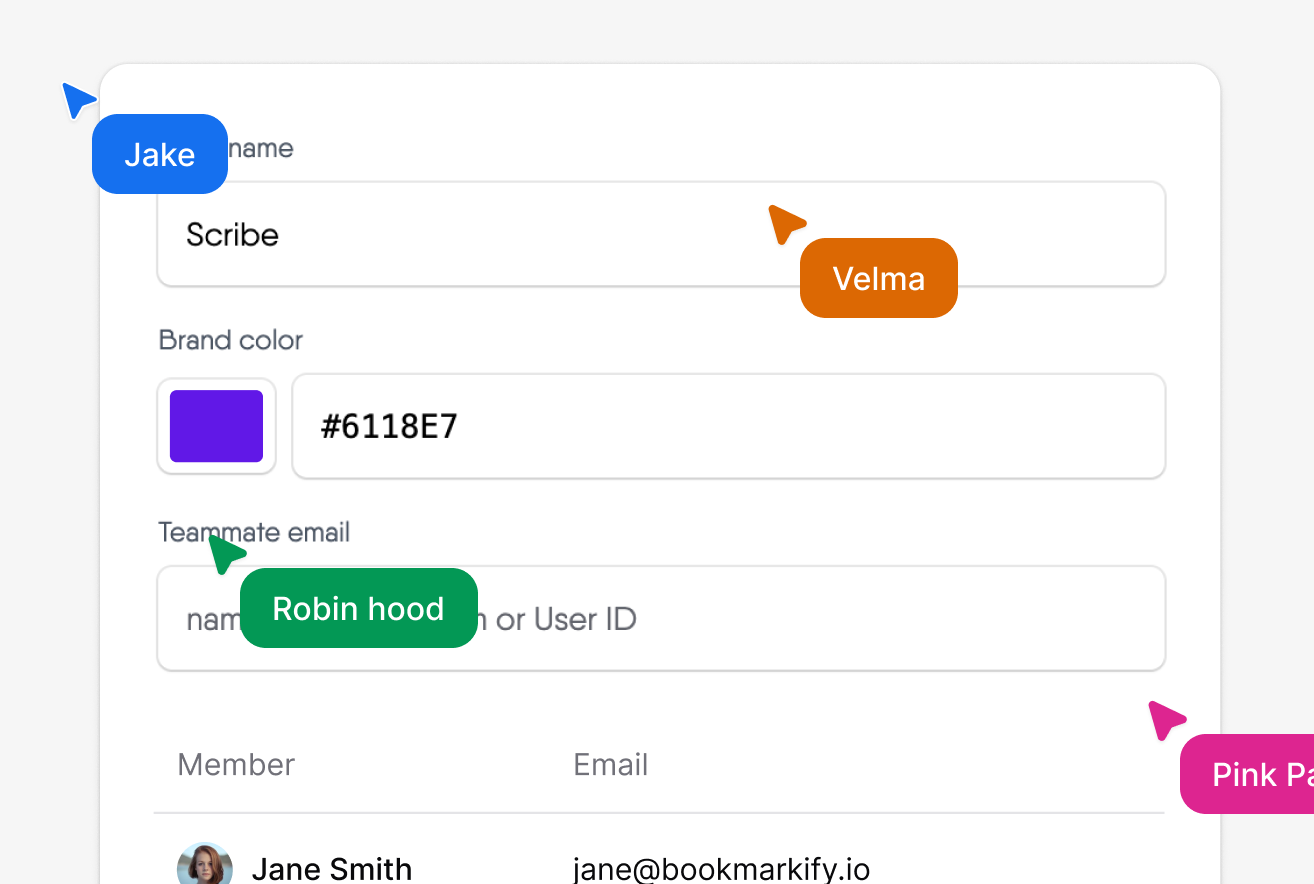
Tags & comments

Tag bookmarks and leave comments to explain ideas, give feedback, or add context.

On Brand

Change your workspace to match your branding.
Get Started

When work changes,
training struggles to keep up.

Old way

Bookmarkify

Visual previews

Tags

Powerful search

Inspiration boards

Team collaboration

Built for designers

Saving images and videos

Frequently asked Questions

The best bookmark manager depends on how you work. Bookmarkify is built for people who think visually, collect inspiration, and collaborate with others — especially designers and teams.
Yes. Bookmarkify offers a free version, with advanced features available in the Pro and Team plans.
Yes. With Bookmarkify Collab, you can create teams and shared collections so everyone works from the same inspiration.
For visual organization, inspiration management, and collaboration — absolutely. Chrome bookmarks are basic storage; Bookmarkify is a full bookmark management system.
Bookmarkify is visual, organized, and built for creative workflows—unlike normal browser bookmarks.
“A very easy to use tool which creates an unprecedented overview for my numerous bookmarks!”
Man in a dark blazer and light shirt smiling indoors.
Chaim Adriaens
Looking to revolutionize IT-pharma
“This level of customization and flexibility is sure to make Bookmarkify a must-have tool for anyone who wants to stay organized and productive while browsing the web. Great job!”
Animated woman with long dark hair wearing a red top, set against a warm-toned background.
Jennifer P
UI/UX Designer
“I love the simplicity of Bookmarkify! It's a great tool for saving websites and keeping them organized with tags and descriptions. The filtering options and grid/full-screen mode toggle are also really helpful.”
Person submerged underwater with only face visible above surface, surrounded by water ripples.
Dyce
Product Designer & Developer
“Every Designer spend time looking for inspiration.
Having all the sites you like disjointed into different chrome tabs can be painful sometimes. You even forget which part of the website you were liking especially at some points. @MiranoDesigns did such a great job building https://bookmarkify.io.”
Matthis
Matthis Garnier
Web/Product Designer
“Awesome extension, would highly recommend. I've already added 20+ bookmarks in under a week. Good work!”
Stylized white geometric letter F logo on a black circular background.
FramerDev
Building in Framer.
“Really wanted something like this after I used other tools for copying my favorite sites. Bookmarkify is a game-changer! The view modes make it Perfect.”
Young person looking upward with a subtle light flare near their face.
Elias Boeckstijns
Creative Web Designer
“This extension is such a big quality of life upgrade, honestly i’ve become more efficient doing work with bookmarkify. Such an amazing extension, thanks!”
Man in a white t-shirt standing outdoors near a stone bridge over water.
Alan Mohammed
Product Designer
“Such an amazing concept! Has totally improved my workflow and made finding inspiration ten times easier as well by the dedicated inspiration page. A perfect addon!”
Blue bowtie icon centered on a circular pink background.
Ilyes - Miss Blush
Motion Designer
“As a web designer, I can relate to the struggle of keeping track of all the websites that inspire me, but with your Chrome extension, it's easy to save and organize them with tags and custom descriptions. Thank you for simplifying our website saving process”
Devon C
Devon C
UX Developer
“A very easy to use tool which creates an unprecedented overview for my numerous bookmarks!”
Man in a dark blazer and light shirt smiling indoors.
Chaim Adriaens
Looking to revolutionize IT-pharma
“This level of customization and flexibility is sure to make Bookmarkify a must-have tool for anyone who wants to stay organized and productive while browsing the web. Great job!”
Animated woman with long dark hair wearing a red top, set against a warm-toned background.
Jennifer P
UI/UX Designer
“I love the simplicity of Bookmarkify! It's a great tool for saving websites and keeping them organized with tags and descriptions. The filtering options and grid/full-screen mode toggle are also really helpful.”
Person submerged underwater with only face visible above surface, surrounded by water ripples.
Dyce
Product Designer & Developer
“Every Designer spend time looking for inspiration.
Having all the sites you like disjointed into different chrome tabs can be painful sometimes. You even forget which part of the website you were liking especially at some points. @MiranoDesigns did such a great job building https://bookmarkify.io.”
Matthis
Matthis Garnier
Web/Product Designer
“Awesome extension, would highly recommend. I've already added 20+ bookmarks in under a week. Good work!”
Stylized white geometric letter F logo on a black circular background.
FramerDev
Building in Framer.
“Really wanted something like this after I used other tools for copying my favorite sites. Bookmarkify is a game-changer! The view modes make it Perfect.”
Young person looking upward with a subtle light flare near their face.
Elias Boeckstijns
Creative Web Designer
“This extension is such a big quality of life upgrade, honestly i’ve become more efficient doing work with bookmarkify. Such an amazing extension, thanks!”
Man in a white t-shirt standing outdoors near a stone bridge over water.
Alan Mohammed
Product Designer
“Such an amazing concept! Has totally improved my workflow and made finding inspiration ten times easier as well by the dedicated inspiration page. A perfect addon!”
Blue bowtie icon centered on a circular pink background.
Ilyes - Miss Blush
Motion Designer
“As a web designer, I can relate to the struggle of keeping track of all the websites that inspire me, but with your Chrome extension, it's easy to save and organize them with tags and custom descriptions. Thank you for simplifying our website saving process”
Devon C
Devon C
UX Developer