Top 8 Best Bookmark Managers for 2026
Looking for the best bookmark manager in 2026? Compare top tools and see why designers and teams choose visual bookmarks, previews, tags, and collaboration with Bookmarkify.
Last updated:
September 20, 2026

Looking for the best bookmark manager in 2026? Compare top tools and see why designers and teams choose visual bookmarks, previews, tags, and collaboration with Bookmarkify.
Last updated:
September 20, 2026
Last updated: July 2026. Every tool on this list was re-checked this month — two previous entries were removed because the products shut down.
The best bookmark manager depends on how you work: Bookmarkify is the strongest option for designers and creative teams who want live website previews, Raindrop.io is the best all-purpose choice, Pinboard is the most reliable budget option for plain-text archiving, and Instapaper is the top pick for read-it-later workflows now that Pocket has shut down.
Browser bookmarks stop working somewhere around the 200-link mark. Folders nest five levels deep, titles get truncated, and finding that one site you saved three months ago takes longer than googling it again. A dedicated bookmark manager fixes this — but the category is littered with abandoned tools, so picking one that will still exist next year matters as much as features.
We build a bookmark manager ourselves, so we spend an unhealthy amount of time inside competing tools. For this list, we installed each one, saved the same 30 test links (websites, images, videos, and articles), and compared how each tool handled saving speed, search, organization, and retrieval. We also checked something most lists skip: whether the product is still actively maintained. Two tools that appeared in earlier versions of this article — Pocket and Bookmarks.dev — are gone. Pocket was shut down by Mozilla on July 8, 2025, and Bookmarks.dev is no longer reachable. Both have been replaced below with alternatives that are alive and actively developed.
Bookmarkify: Are you a web designer, UI/UX specialist, product designer, or other creative professional drowning in a sea of browser tabs and scattered screenshots? If so, Bookmarkify might be the breath of fresh air your workflow needs. This innovative bookmark manager goes beyond simply saving links; it transforms how you collect, organize, and revisit online inspiration. Unlike traditional bookmarking methods that often lead to digital chaos, Bookmarkify offers a visually engaging and fully customizable platform designed specifically for creative minds. It allows you to curate a personalized library of visual references, ensuring you never lose track of that perfect color palette, inspiring typography, or innovative layout again. This makes it a strong contender for one of the best bookmark managers available for creatives. You can get started for free.
Unlike traditional bookmark managers that rely on hierarchical folders, Bookmarkify emphasizes visual organization and discoverability. Imagine having all your saved websites displayed as sleek thumbnails, readily available at a glance. With multiple view modes—grid, fullscreen, triple, long, and mobile—you can tailor the display to your specific needs and preferences. Whether you’re browsing for inspiration on your desktop or quickly referencing a design detail on your mobile device, Bookmarkify provides a seamless and enjoyable experience.
One of Bookmarkify’s standout features is its robust tagging system. You can add multiple tags to each bookmark, creating a highly granular and flexible organizational structure. Need to find that specific CSS animation example you saved last week? Simply search using relevant tags like "animation," "CSS," or "micro-interaction" and Bookmarkify's advanced search capabilities will instantly surface the relevant bookmarks. This powerful tagging system, combined with the visual layout, makes finding the right inspiration faster and more efficient than traditional bookmarking methods. It essentially eliminates the frustrating experience of scrolling through endless lists or trying to remember which folder you saved something in.
Collaboration is also a key aspect of Bookmarkify. While the promised Figma integration is still in development, the platform already offers unique shareable URLs. This feature makes it incredibly easy to share curated collections of inspiration with your team, clients, or even the wider design community. Imagine sharing a mood board of design trends with your team or compiling a list of helpful resources for a client project - all with a single, easily shareable link. This streamlined communication fosters better teamwork and ensures everyone is on the same page. The upcoming Figma integration will further enhance this collaborative aspect, promising a deeper synergy between your design workflow and inspiration management.
Bookmarkify also caters to individual preferences with customizable light and dark themes, ensuring comfortable viewing in any environment. This attention to detail, combined with the sleek and intuitive user interface, contributes to a truly enjoyable user experience. Users consistently praise Bookmarkify for its ease of use and effectiveness, with many calling it a “game-changer” and “10x better than Chrome bookmarks.”
Pricing is simple: a free plan covers individual use, and the Pro plan starts at $6/month on annual billing. Team workspaces — shared collections where everyone can add inspiration, comment, and tag — are available on the Team plan at $29 for 5 seat/month. There's no lock-in either: your saved content stays exportable.
Setting up Bookmarkify is straightforward. Simply visit their website (https://www.bookmarkify.io) and sign up for an account. You can then start importing your existing bookmarks from other platforms or begin adding new ones directly. The intuitive interface makes it easy to add tags, organize your bookmarks, and customize the view modes to fit your workflow.
In a landscape saturated with generic bookmark managers, Bookmarkify differentiates itself by catering specifically to the needs of creative professionals. Its visually-driven approach, powerful tagging system, collaborative features, and upcoming Figma integration make it a compelling alternative to traditional methods. For designers and developers seeking a more efficient and inspiring way to manage their online inspiration, Bookmarkify deserves serious consideration as the best bookmark manager option available. Get started for free.
Collecting references with colleagues? Bookmarkify Teams gives your studio a shared library of interactive websites, organized into project boards with tags and comments. Explore Bookmarkify Teams or compare bookmark managers for design teams to decide whether that workflow fits your studio.
For web designers, UI/UX designers, creative professionals, product designers, and developers, managing online resources efficiently is crucial. Sifting through endless browser bookmarks can be a nightmare. If you prioritize speed, simplicity, and a no-frills approach to bookmarking, Pinboard might be your ideal solution. This best bookmark manager stands out as a powerful, paid service focused on archiving and retrieving your valuable online resources without the distractions of ads or social features. It’s a robust tool that prioritizes function over form, making it a compelling option for those seeking a clean and efficient bookmarking experience.
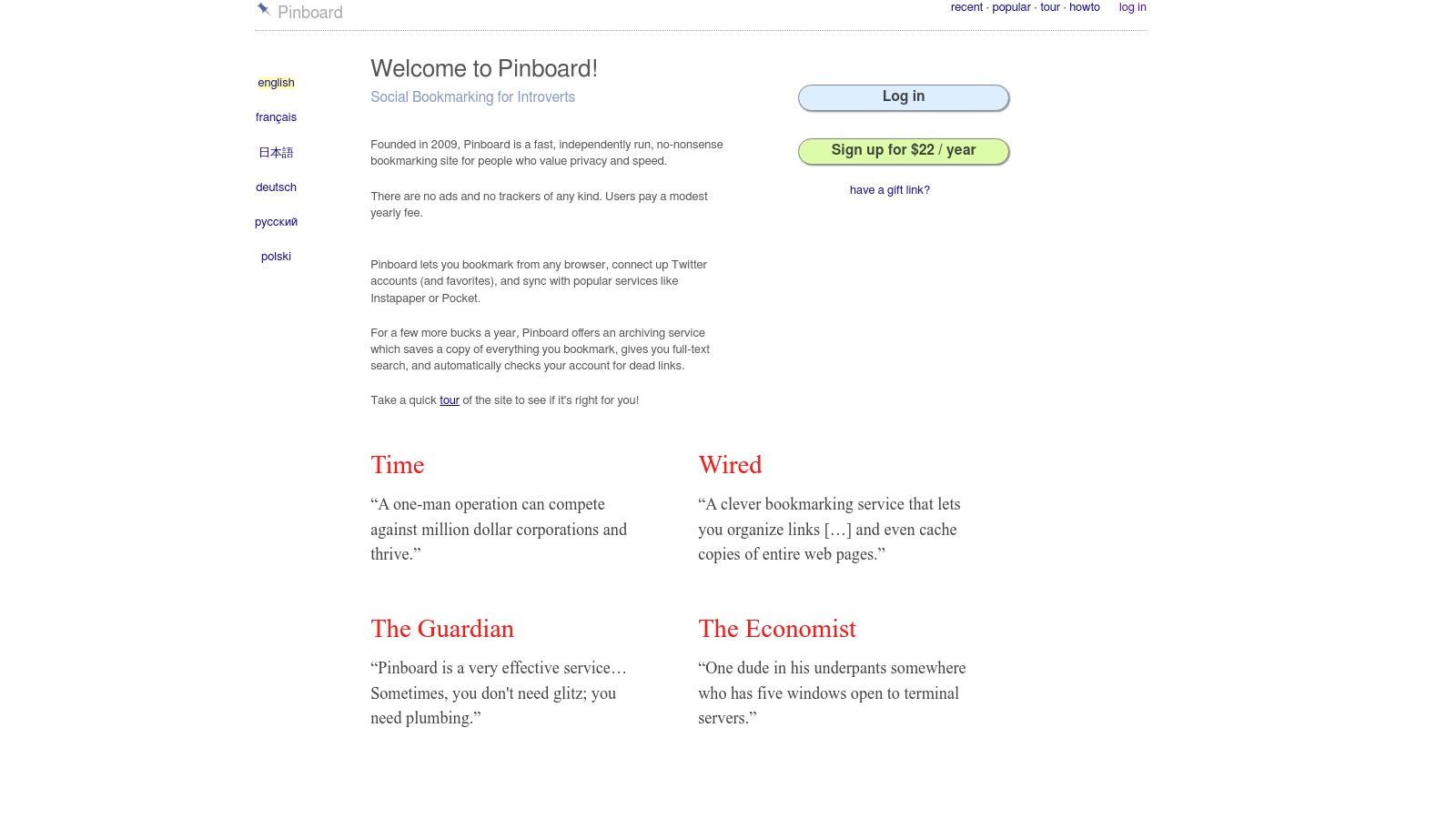
Pinboard shines with its lightning-fast performance. Unlike some bookmark managers that can become sluggish with large libraries, Pinboard remains remarkably responsive. This speed is especially beneficial for busy professionals who need to access their saved resources quickly. Its robust search functionality, allowing full-text searches of bookmarked pages, is another key strength. This means you can search not only by title or tags, but also by content within the saved pages, making finding specific information remarkably efficient. Imagine needing to recall a specific design technique you bookmarked months ago; with Pinboard’s full-text search, you can quickly pinpoint the article, even if you can't remember the title or tags.
The service also excels in its archival capabilities. Pinboard automatically saves a copy of each page you bookmark, ensuring you can access the information even if the original link breaks. This archiving feature provides peace of mind, knowing your important resources are preserved. As a developer or designer, you might bookmark tutorials or design inspiration that could disappear from the web. Pinboard ensures you retain access to these valuable resources. Learn more about Pinboard to understand its advantages in detail. This feature distinguishes Pinboard from many free alternatives and makes its yearly fee worthwhile for serious users.
Furthermore, Pinboard takes privacy seriously. With no ads or tracking, you can be confident your browsing habits are not being monitored. This commitment to privacy aligns with the growing concern about online data collection and offers a refreshing alternative to ad-supported services. Pinboard offers both private and public bookmark collections, giving you the flexibility to share resources publicly if desired while keeping your primary collection private. You can organize your bookmarks effectively using a tag-based system, enabling granular categorization and quick retrieval based on relevant keywords.
While Pinboard offers numerous advantages, it's essential to be aware of its limitations. It is a paid service, costing $22 per year. While the fee is relatively low, it's a factor to consider compared to free alternatives. The minimalist interface, while appreciated by some for its simplicity, may appear outdated to others. Compared to modern bookmark managers with sleek designs and interactive features, Pinboard’s interface might feel somewhat basic. The platform lacks robust collaboration features, making it less suitable for teams working on shared projects. Lastly, there are no official mobile apps for Pinboard, which can be inconvenient for users who frequently access their bookmarks on the go. This could be a significant drawback for mobile-heavy users.
Pinboard is an excellent choice for users who prioritize speed, simplicity, and privacy. It is especially suited for individual users, such as web designers, developers, or researchers, who require a reliable and efficient way to manage their online resources. The full-text search and archival features are particularly valuable for retrieving information quickly and ensuring long-term access. However, if you require collaborative features, a visually appealing interface, or mobile access, you might want to consider alternatives. For a modest annual fee, Pinboard offers a powerful and distraction-free bookmarking experience that can significantly enhance your productivity. The lack of social features and a simple interface may deter some, but for those who value speed, privacy, and robust archiving, Pinboard stands out as a best bookmark manager.
Raindrop.io stands out as a best bookmark manager, particularly for visually-oriented users like web designers, UI/UX designers, and other creative professionals. It combines powerful organizational features with a sleek, modern interface that makes bookmarking a joy rather than a chore. Forget endless scrolling through cluttered lists of links; Raindrop.io transforms your saved resources into a visually rich library, making it easy to rediscover and utilize your saved content.
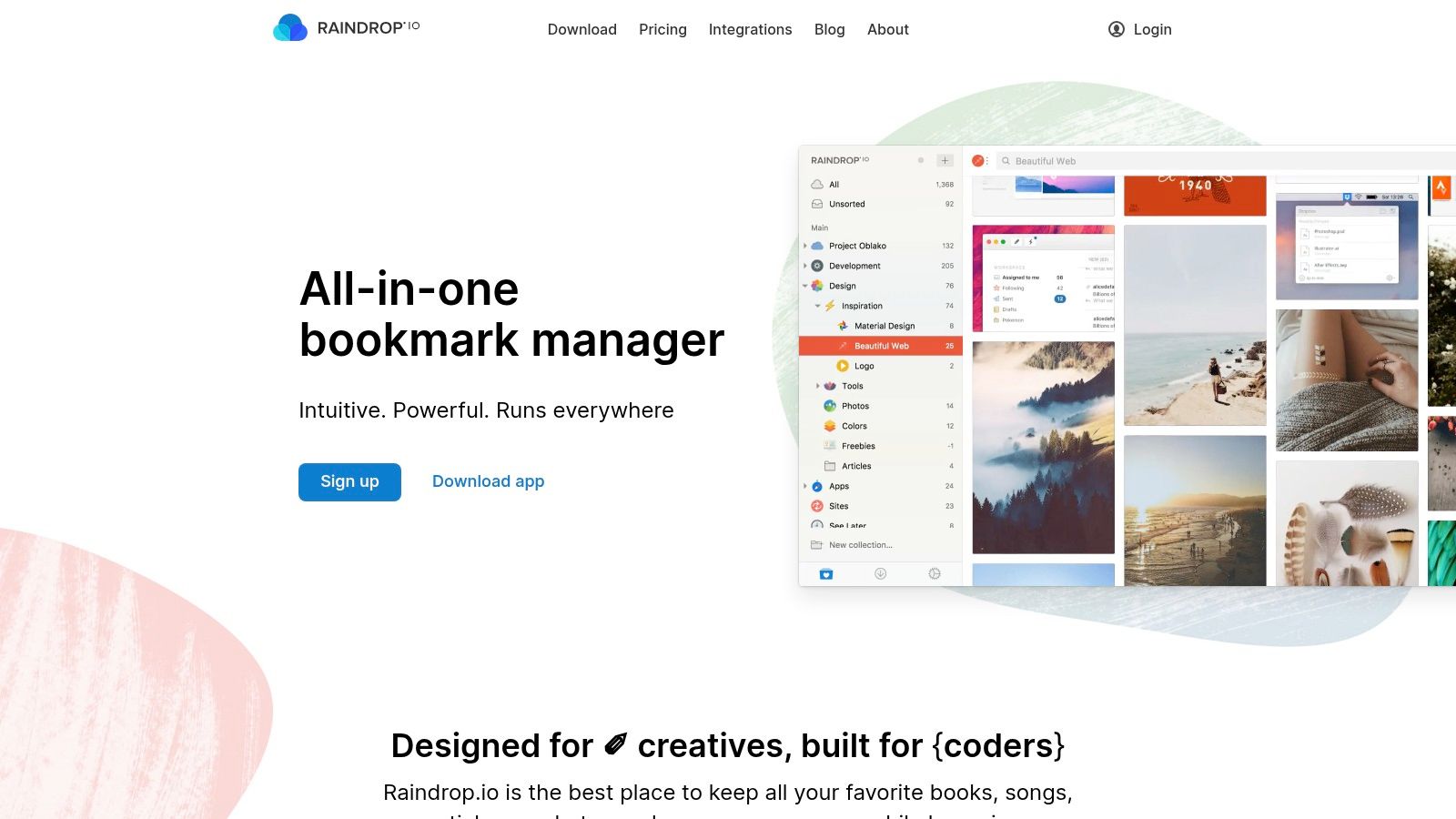
Imagine effortlessly managing mood boards, design inspiration, competitor analysis, code snippets, and valuable articles all in one place. With Raindrop.io, this becomes a reality. The platform shines in its visual bookmark previews. Instead of just seeing a URL, you're greeted with a snapshot of the webpage, giving you a clear idea of its content without even clicking. This visual approach drastically improves workflow efficiency, allowing you to quickly identify the resource you need. For instance, if you're a UI/UX designer building a mood board, you can quickly scan your "Mobile UI Inspiration" collection and visually pinpoint that perfect shade of blue or innovative navigation pattern.
Raindrop.io's organizational structure goes beyond simple folders. It offers nested collections and smart folders, enabling granular control over categorization. This is particularly helpful for product designers and developers who often juggle multiple projects with diverse research materials. You can create nested collections like “Project X > User Research > Competitor Analysis” for meticulous organization. Smart folders automatically categorize bookmarks based on defined rules, saving you time and effort. For instance, you could create a smart folder to automatically collect all saved articles about “Accessibility in Web Design.”
Beyond visual organization, Raindrop.io offers robust search functionality. Full-text search and content analysis mean you can search not just by titles, but also within the content of your saved webpages. This feature is a game-changer for researchers and anyone dealing with a large volume of information. Imagine being able to instantly locate a specific statistic or quote from an article you saved weeks ago, just by searching a keyword. This level of searchability elevates Raindrop.io from a simple bookmarking tool to a powerful knowledge management system.
Browser extensions for all major browsers and strong mobile apps contribute to a seamless cross-platform experience. Whether you're browsing on your desktop, laptop, or mobile device, your bookmarks are always synced and accessible. This is invaluable for creative professionals who often switch between devices. Capture inspiration on your phone while commuting and seamlessly access it later on your desktop to integrate into your projects.
Raindrop.io offers a generous free tier, making it accessible to everyone. The free version includes most core features like visual previews, collections, and basic sharing. However, some advanced features like nested collections, team collaboration, and full-text search require the premium plan, priced at a reasonable $3/month. This tiered approach allows users to experience the core functionality of Raindrop.io before committing to a paid subscription. Compared to similar tools like Instapaper and Evernote, Raindrop.io strikes a good balance between features and affordability.
Setting up Raindrop.io is incredibly easy. Simply create an account, install the browser extension for your preferred browser, and start saving. The intuitive interface requires minimal learning curve, so you can quickly get up and running. One helpful tip is to dedicate some time upfront to setting up your collection structure. Think about your workflow and the types of resources you frequently save. This initial organization will pay dividends in the long run, ensuring you can easily locate your saved resources. Another tip is to utilize tags effectively. Tags provide an additional layer of organization, allowing you to categorize bookmarks based on specific keywords or topics. For example, a web designer might tag resources with “color palettes,” “typography,” or “interaction design.”
While Raindrop.io excels in many areas, it's worth noting a few minor drawbacks. The free version has limitations in offline access and can sometimes be slower with very large bookmark collections. These limitations, however, are easily addressed with the premium subscription.
Overall, Raindrop.io is a best bookmark manager deserving of a place on this list because it effectively tackles the challenges of organizing and accessing digital resources, especially for visual thinkers. Its beautiful interface, powerful organization features, and cross-platform accessibility make it a valuable tool for anyone looking to improve their digital workflow. You can explore Raindrop.io and create your own visually organized world of bookmarks at https://raindrop.io.
mymind takes the opposite approach to every other tool on this list: no folders, no tags, no manual organization at all. You save something — a website, an image, a quote, a note — and its AI analyzes the content, tags it automatically, and makes it searchable. Search for "blue gradient" or "pricing page" later and it surfaces the right saves, even reading text inside screenshots. For people who hate filing things, this is genuinely liberating.
It was built for the same audience Bookmarkify serves — designers, writers, marketers, and researchers — and it shows in the presentation. Everything you save lands in a clean visual grid with none of the utilitarian clutter of traditional bookmark managers. The privacy stance is also unusually strong: no ads, no tracking, no data selling, and nothing you save is ever public.
The trade-offs are real, though. There is no free plan (paid plans run roughly $7 to $13 per month depending on tier). There are no shared spaces or team features whatsoever — mymind is deliberately private, which rules it out for collaborative work. And because saved websites are stored as cards and snapshots rather than live pages, you can't interact with a saved site the way you can in Bookmarkify. If you want to click through a saved website, test its responsive breakpoints, or pull its fonts and colors, mymind can't do that — it remembers what a page looked like, not the page itself.
Where mymind fits: it's the best "private visual memory" on this list. If you save things mostly for yourself, never want to organize anything manually, and don't need to share collections with a team, it's the most frictionless option available. If your bookmarks are work material a team needs to access, look at Bookmarkify or Raindrop.io instead.
Toby stands out as a best bookmark manager by transforming your new tab page into a visually appealing and highly organized hub for all your important links. Forget digging through cluttered bookmark bars or endless folders; Toby puts your favorite websites front and center, readily accessible the moment you open a new browser tab. This approach makes it particularly well-suited for web designers, UI/UX designers, creative professionals, product designers, and developers who need quick access to inspiration, resources, and frequently used tools.
Imagine this: you open a new tab, and instead of a blank page or a generic search bar, you're greeted with a personalized dashboard of your essential websites, neatly categorized into collections. Need to check out the latest design trends? Click on your "Design Inspiration" collection. Time to dive back into that coding project? Your "Development Resources" collection is just a click away. This is the power of Toby. It streamlines your workflow by eliminating the friction of searching for bookmarks, letting you jump straight into your work.
One of Toby's key strengths lies in its visual organization. It utilizes a card-based system, presenting your bookmarks as attractive visual previews. This isn't just aesthetically pleasing; it also makes it easier to quickly identify the website you're looking for at a glance. This visual approach is particularly beneficial for visually-oriented professionals like designers, who often rely on visual cues for quick navigation.
Beyond the visual appeal, Toby offers a robust set of features that make it a powerful bookmark management solution. The drag-and-drop interface makes organizing your collections a breeze. You can create nested collections and subcollections to further categorize your bookmarks, ensuring a highly structured and personalized system. For example, a web designer might have a main collection called "Design Resources," with subcollections for "Typography," "Color Palettes," "UI Inspiration," and "Stock Photos." This granular control allows for highly specific organization, catering to the diverse needs of creative professionals.
Toby also shines in its collaborative capabilities. While the free version is perfect for individual users, the paid team workspaces feature opens up new possibilities for collaboration. Teams can share collections of essential links, ensuring everyone has access to the same resources. This is particularly valuable for design teams working on collaborative projects, facilitating seamless sharing of inspiration, design guidelines, and project-related websites.
For those who rely on keyboard shortcuts for maximum efficiency, Toby delivers. It offers a range of shortcuts for navigating collections, opening links, and managing your bookmarks, further streamlining your workflow. The quick search function also allows you to instantly locate any bookmark, regardless of how many you have saved.
Setting up Toby is incredibly simple. Just install the browser extension for your preferred browser (Chrome, Firefox, Edge, or Opera), and your new tab page will be instantly transformed into your personalized Toby dashboard. From there, you can start importing your existing bookmarks and organizing them into collections.
While Toby offers a powerful and visually appealing bookmark management solution, it does have some limitations. Currently, it's primarily browser-based, meaning you won't be able to access your bookmarks from a mobile device unless you use a workaround like accessing your browser on your phone. Additionally, while the free version is quite generous, the team features, which unlock the full collaborative potential of Toby, require a paid subscription. Finally, for users with thousands of bookmarks, the visual interface can potentially become cluttered, although the robust search and organizational features help mitigate this.
Compared to traditional bookmark managers or even browser-based bookmark syncing solutions, Toby offers a different approach. Instead of hiding your bookmarks away in menus and folders, it puts them front and center, making them an integral part of your browsing experience. This makes Toby an excellent choice for anyone who wants quick and visual access to their most important websites, and a truly valuable tool for web designers, UI/UX designers, and other creative professionals. You can explore Toby and transform your new tab page at https://www.toby.cloud.
Diigo stands out as a powerful research and collaboration tool disguised as a best bookmark manager. While it effectively saves your favorite web pages, its true strength lies in its robust annotation and sharing features, making it a favorite among researchers, students, and professionals who work extensively with online content. If your bookmarking needs extend beyond simply saving links and delve into in-depth analysis and collaborative knowledge sharing, Diigo might be the perfect fit. It goes beyond simple bookmarking and offers a comprehensive platform for organizing, annotating, and collaborating around online content. This makes Diigo a compelling choice for those who engage deeply with web research and require more than just a link-saving tool.

Imagine you're a UX designer researching best practices for mobile navigation. With Diigo, you can not only bookmark relevant articles but also highlight key takeaways, add sticky notes with your own insights, and even annotate screenshots of specific UI elements. This allows you to build a rich, personalized research repository that goes far beyond a simple list of links. Similarly, developers can use Diigo to curate code snippets, annotate documentation, and share findings with their team. Product designers can collect inspiration, annotate competitor analysis, and collaborate on design decisions directly within the platform.
Diigo offers a free tier that provides a solid foundation for individual users. This includes unlimited bookmarking, highlighting, and sticky notes. For power users and teams, premium plans start at around $40/year and unlock advanced features such as PDF annotation, unlimited archiving, and enhanced sharing capabilities. This makes it an affordable option compared to other research management tools with similar feature sets. There are no specific technical requirements beyond a web browser and an internet connection. Diigo also offers mobile apps, although they have some limitations compared to the full desktop experience.
Diigo’s key features are what truly set it apart from simpler best bookmark managers. Web page annotation and highlighting allows you to mark up important sections of articles and web pages directly within your browser. Sticky notes provide a way to add your own thoughts, observations, and reminders to specific sections of a page. Group collaboration features allow you to share your annotated bookmarks and engage in discussions with colleagues or classmates. Diigo’s advanced search with filters makes it easy to find specific information within your growing collection of bookmarks and annotations. Finally, PDF annotation support extends these powerful features to your PDF documents as well.
Compared to simpler bookmark managers like Raindrop.io, Diigo offers a much deeper level of interaction with your saved content. While tools like Evernote offer note-taking and web clipping capabilities, Diigo excels in its collaborative features and seamless integration with web browsing. For web designers, UI/UX designers, and other creative professionals, Diigo bridges the gap between simply saving links and actively engaging with the information they collect.
Getting started with Diigo is straightforward. Simply sign up for a free account on their website (https://www.diigo.com). Install the Diigo browser extension for easy bookmarking and annotation while browsing. Explore the different annotation tools and experiment with the sharing and collaboration features. While the interface can feel cluttered initially, investing some time in learning the platform will unlock its full potential. This initial learning curve is often cited as a drawback, but the power and flexibility Diigo provides make it a worthwhile investment for those who need a comprehensive research and knowledge management tool.
In conclusion, Diigo deserves its place on the list of best bookmark managers because it transcends simple link saving. It offers a robust platform for organizing, annotating, and sharing web content, making it an indispensable tool for researchers, students, and professionals in various fields. While the interface may require some initial learning and some features are locked behind a paywall, Diigo's powerful capabilities and collaborative features make it a valuable asset for anyone who works extensively with online information. If you're seeking a best bookmark manager that doubles as a powerful research and collaboration hub, Diigo is definitely worth considering.
Start.me stands out among the best bookmark managers by offering more than just bookmark organization. It's a robust, customizable startpage and dashboard platform that integrates bookmark management with widgets, news feeds, and a highly personalized layout. This makes it ideal for users seeking a centralized hub for their online activity, going beyond simple bookmark storage. Instead of just saving links, Start.me lets you curate your digital workspace. Think of it as a personalized homepage that you control, a launchpad tailored to your specific needs and workflow. For web designers, UI/UX designers, creative professionals, product designers, and developers, this can be a game-changer. Instead of juggling multiple tabs and applications, you can consolidate your essential resources in one visually organized space.
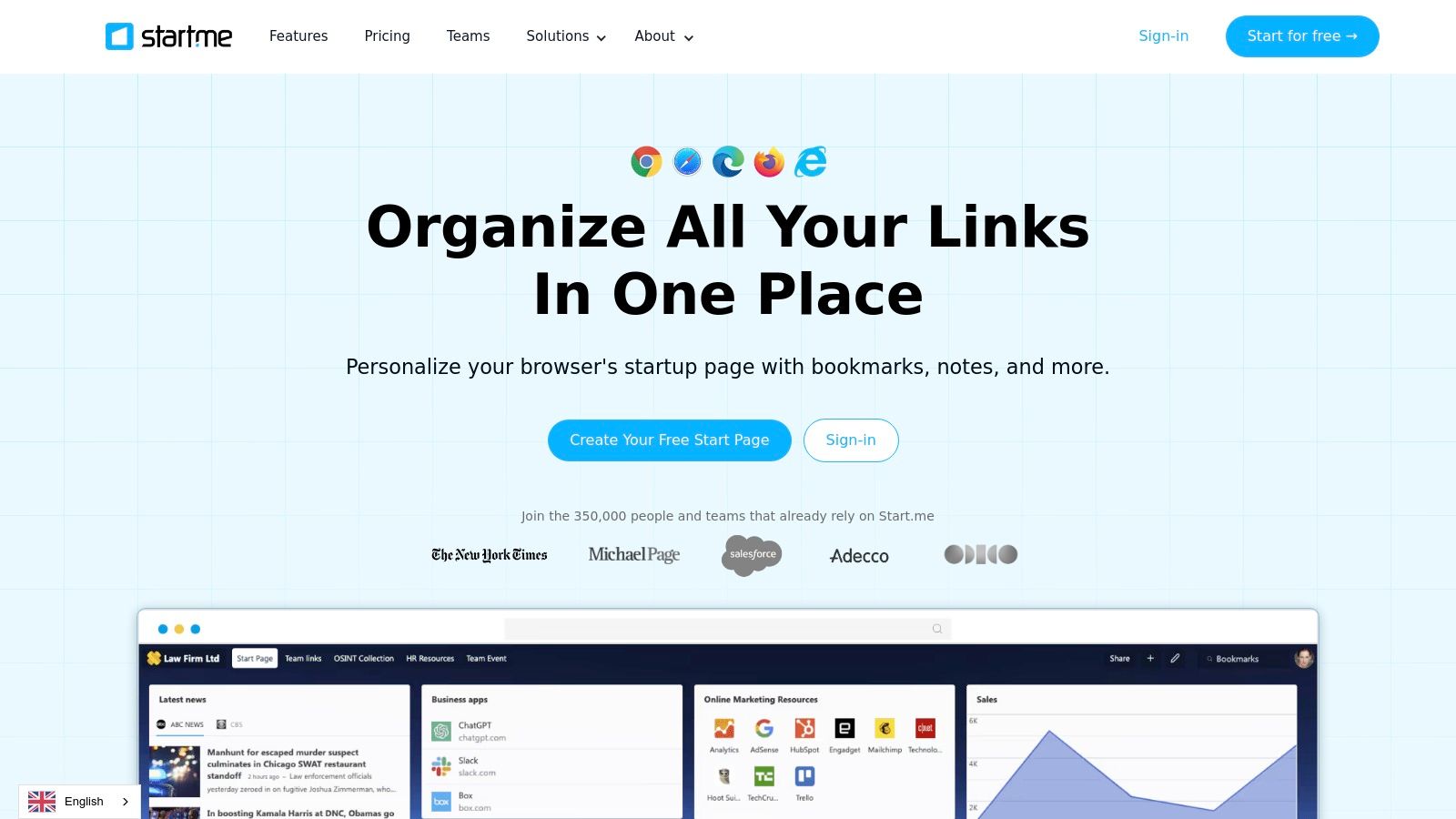
Start.me's power lies in its flexibility. The customizable dashboard allows you to arrange bookmarks, widgets, and news feeds in a way that makes sense for you. Imagine having quick access to your design inspiration websites, project management tools, code repositories, and industry news, all from a single, personalized startpage. No more sifting through browser tabs or searching for lost bookmarks.
This level of customization is a boon for visually oriented professionals. You can create multiple pages within Start.me, each dedicated to a specific project, client, or area of interest. This allows for laser-focused organization and significantly reduces the cognitive load of managing multiple projects simultaneously. For example, a web designer could have separate pages for client projects, design inspiration, coding resources, and project management tools.
While its extensive customization options are a major advantage, this can also be a drawback. The sheer number of features and settings can feel overwhelming for users simply looking for a basic best bookmark manager. If you only need to save and organize links, a simpler setup might serve you better — our guide on how to organize bookmarks covers lightweight systems that work in any tool.
Start.me also offers seamless integration with existing browsers. You can easily import your bookmarks from Chrome, Firefox, Safari, and other popular browsers, streamlining the transition and consolidating all your saved links in one location. This eliminates the need to manually transfer bookmarks and ensures a smooth transition to the platform.
Another key strength of Start.me is its focus on privacy. The free version has no ads and the company adheres to strong privacy practices, assuring users that their data is handled responsibly. In an age of increasing online tracking, this commitment to user privacy is a significant advantage.
The pricing structure for Start.me is straightforward. A free version provides access to the core features, which is sufficient for many users. A premium subscription, priced from around $2/month, unlocks additional features such as custom backgrounds, advanced widget options, and increased storage space. The free version’s generous feature set and lack of advertising make it a compelling option, particularly for those who prioritize privacy and a clean interface.
However, Start.me isn’t without its limitations. While the desktop experience is excellent, mobile optimization could be improved. The interface, while highly customizable, can be somewhat clunky on smaller screens. This can detract from the user experience for those who frequently access their bookmarks on mobile devices.
Another potential hurdle is the initial setup time. Due to the extensive customization options, configuring Start.me to your exact preferences can be time-consuming. However, this initial investment is likely to pay off in the long run through increased productivity and a more streamlined workflow.
In conclusion, Start.me earns its place among the best bookmark managers by offering a powerful combination of bookmark organization, personalized dashboards, and integrated widgets. While its extensive customization options may be overkill for some users, its flexibility, privacy focus, and generous free version make it a compelling choice for web designers, developers, and other professionals seeking a centralized, personalized online workspace. It transcends the limitations of traditional bookmark managers, offering a more comprehensive solution for organizing and accessing your digital resources.
Instapaper earns the last spot on this list for one big reason: Pocket is gone. Mozilla shut Pocket down on July 8, 2025, and deleted all remaining user data later that year — which orphaned millions of read-it-later users. Instapaper is the closest surviving equivalent, and it supports importing your exported Pocket archive, so former Pocket users can move their entire library over.
As a product, Instapaper does one thing extremely well: it strips articles down to clean, readable text and syncs them for offline reading on any device. Highlights, notes, folders, and text-to-speech round it out. It has been running since 2008, survived multiple ownership changes, and is now independent again — in a category where products die constantly, that longevity is worth something.
The free plan covers saving, reading, and basic organization. Premium (around $6/month) adds full-text search across everything you've saved, unlimited notes, permanent archives of saved articles, and speed-reading tools.
Be clear about what Instapaper is not, though: it is a reading tool, not a visual bookmark manager. Everything is presented as a text list. If you're saving design inspiration, portfolio references, or anything where the visual appearance of the page is the point, Instapaper will frustrate you — that's what tools like Bookmarkify, Raindrop.io, and mymind are for. But if your saved links are mostly articles you intend to actually read, it's the best dedicated tool for the job.
The honest answer is that there's no single winner — the right tool depends on what you save and who needs access to it:
You're a designer or work on a creative team — Bookmarkify. It's the only tool here where saved websites stay fully interactive, so you can browse a saved site, check its responsive breakpoints, and extract its fonts and colors without leaving the app. The free plan is enough to test whether the workflow clicks for you.
You want one solid all-rounder — Raindrop.io. It's polished, cross-platform, and the free tier is generous. Most people who just want "better browser bookmarks" should start here.
You mainly save articles to read later — Instapaper, especially if you're a former Pocket user looking for a new home for your reading list.
You hate organizing things — mymind. Its AI does the filing for you, as long as you're okay with a paid-only, strictly private tool.
You want maximum reliability for minimum money — Pinboard. It's not pretty, but it's been quietly dependable for over 15 years at a price most tools can't match.
Toby, Diigo, and Start.me remain solid picks for their specific niches — tab management, research annotation, and dashboards respectively.
One last piece of advice from someone who builds in this category: before committing to any tool, check that it exports your data in a standard format. Pocket users learned this the hard way. Every tool on this list currently offers export — keep it that way by testing the export before you've saved 2,000 links, not after.
If the designer-focused workflow sounds like yours, try Bookmarkify free — save a few sites, open them in the live preview, and see whether interactive bookmarks change how you collect inspiration.

Ivan S
Lead Marketing Designer @Scribe, Founder @bookmarkify

Effortlessly Save time and stay Inspired: Streamline your workflow with Bookmarkify. No more juggling 10 tabs and screenshots.