You know the feeling. You have twenty browser tabs open, your desktop is a minefield of untitled screenshots, and somewhere in a bookmark folder named 'Stuff' is the perfect UI example you saved last month. You just can't find it. This inspiration chaos is more than just a minor annoyance for SaaS designers. It’s a silent drain on your most valuable resources: time and creative energy.
The Hidden Costs of a Messy Digital Workspace
Every minute spent hunting for a lost reference is an unbillable minute. It’s a disruption that shatters the deep focus required to solve complex design problems. In the fast-paced world of software development, where sprints are measured in days, not weeks, these interruptions add up. They kill creative momentum just when you need it most, turning a productive design session into a frustrating scavenger hunt. We can all picture that moment: you're about to present a concept, and the key reference you needed is suddenly gone.
This digital clutter also carries a hidden cognitive cost. A disorganized digital workspace creates the same mental friction as a messy physical desk. It’s a constant, low-level hum of stress that makes it harder to think clearly and creatively. This isn't a personal failing; it's a professional bottleneck. One of the most effective creative productivity hacks isn't about adding a new tool, but about removing this friction. Before you can build something great, you need a clean, organized space to think.
Defining Your Collection Strategy

With the high cost of disorganization clear, the first step isn't to start saving everything in sight. It's to create a plan. A powerful visual library is built on quality, not quantity. The goal is to curate a high-signal collection of examples, not to hoard every design you see. Before you save a UI pattern, ask yourself: Does it solve a specific problem effectively? Is it relevant to modern SaaS trends?
To get started, focus on building a foundation with these essential UI pattern categories:
- User Onboarding Flows
- Navigation Menus (Sidebars, Top Bars)
- Dashboards and Data Visualization
- Settings and Profile Pages
- Pricing Tables and Checkout Flows
- Modal Dialogs and Notifications
Look for inspiration beyond just live products. Explore the public design system documentation of leading tech companies and curated galleries. As the team at Enamo Studios highlights, using UI pattern libraries wisely helps you design faster and solve problems more effectively. A consistent source of fresh ideas, like the daily feed on our inspiration page, can also keep your collection current.
Most importantly, get into the habit of annotation. A screenshot or link is nearly useless without context. When you save something, add a short note answering the simple question: 'Why did I save this?' This small step transforms a passive collection into an active, searchable knowledge base. Choosing the right SaaS design inspiration tools and sources is a strategic decision.
| Source Type | Best For | Key Consideration |
|---|
| Live SaaS Products | Understanding real-world context and user flows | Can be time-consuming to navigate and find specific patterns |
| Curated Galleries (e.g., Dribbble) | Aesthetic inspiration and visual trends | Designs may lack real-world constraints and usability testing |
| Company Design Systems | Learning best practices from established teams | Components are often tailored to a specific product's needs |
| UI Pattern Libraries (e.g., Mobbin) | Comparing solutions for a specific component across apps | Focus is on individual screens, not the entire user journey |
Selecting the Right Visual Collection Tools
Your strategy is set, but how do you execute it? The tools you choose will either support or sabotage your efforts. Traditional, text-based bookmark managers fail designers because our work is visual. You need a tool built for the way you think. Essential features for effective visual bookmarking for designers include automatic thumbnail generation, direct image saving, powerful tagging, and multiple layout options like grids or mood boards.
Some tools are designed specifically for this, automatically capturing a visual preview of any site you save. This allows you to lean on your visual memory to scan dozens of references in seconds, rather than trying to recall a vague page title. Imagine right-clicking any image on the web and saving it directly to your library without cluttering your downloads folder. This is a significant workflow improvement for building a UI pattern library.
It's also important to see where this library fits into your broader workflow. While platforms like Figma are the destination for building formal, collaborative design systems, your visual bookmark library is the crucial 'upstream' phase. It's your personal or team-level sandbox for gathering and vetting inspiration before it gets codified. This approach acknowledges that great ideas often start with a bit of exploration.
The best way to start is to start small. Don't try to build your entire library overnight. Create one collection for a single UI pattern, like 'Pricing Tables,' and add 5-10 of your favorite examples. You can even try a tool like ours in guest mode to test the workflow without any commitment, making that first step feel easy and risk-free.
A Practical Tagging System for UI Patterns
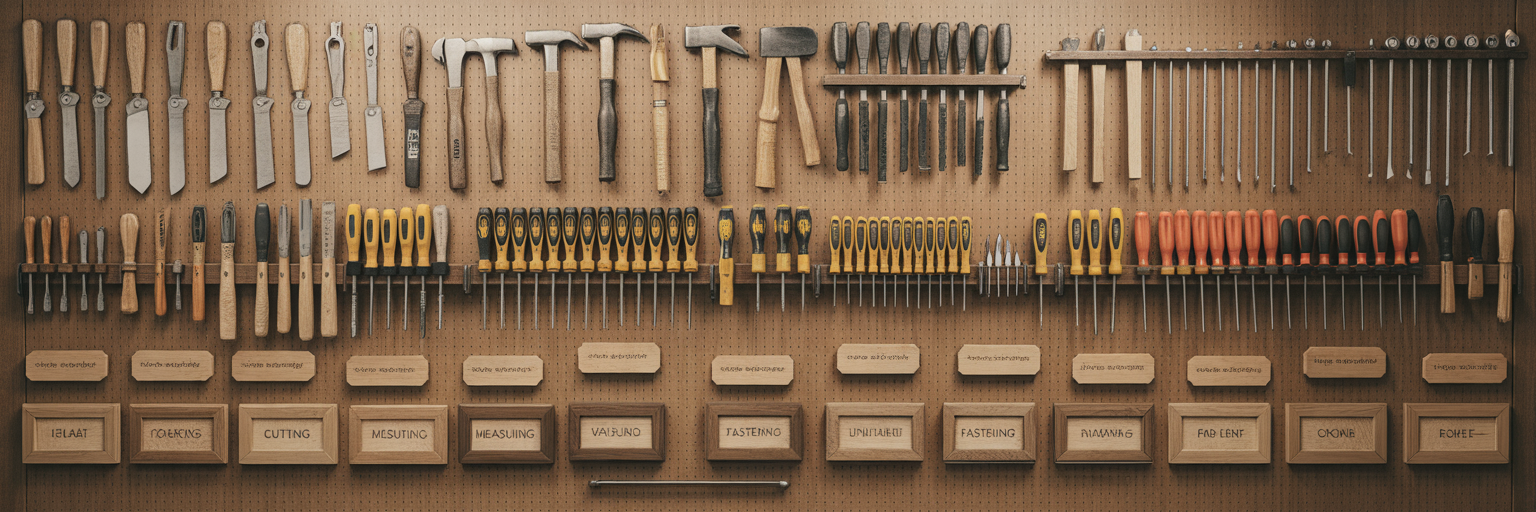
A great collection tool is only half the battle. How you organize UI design patterns within it determines whether you find what you need in seconds or get lost in a digital mess. This is where a smart tagging system becomes your superpower. Forget rigid folders where a bookmark can only live in one place. Tags are multi-dimensional, allowing a single 'modal' example to be tagged with `onboarding`, `user-feedback`, and `SaaS` all at once.
To build a scalable system, adopt a structured, multi-level tagging methodology. This provides a consistent framework you can rely on as your collection grows:
- [Component Type]: The specific UI element (e.g., `table`, `form`, `modal`, `button`).
- [Function/Use Case]: The purpose of the element (e.g., `data-display`, `signup`, `user-feedback`, `pricing`).
- [Platform/Context]: The environment where it appears (e.g., `desktop`, `mobile`, `dashboard`, `dark-mode`).
A single bookmark might have tags like `table-data-display-desktop` or `form-signup-mobile`. The payoff for this discipline is immediate. Need to see all your dashboard widgets? Just filter by the `dashboard` and `widget` tags. This disciplined approach to tagging enables rapid retrieval and comparison, directly accelerating your design process. The same principles of structured organization are seen in tools that streamline content scheduling, where clear categorization improves workflow efficiency.
Finally, ensure consistency, especially if you're collaborating. Create a simple 'tag dictionary' in a text file or shared document that lists your primary tags. This prevents duplicates like `nav` vs. `navigation` and ensures everyone on the team is speaking the same language. This simple document is the key to maintaining order as your library expands.
Integrating Your Library into the Design Workflow
A visual library that just sits there is a missed opportunity. The real value comes from integrating it into your daily design process. This is where you establish an effective UI pattern library workflow. For initial concepting, imagine filtering your library by `dark-mode` and `dashboard` to instantly pull together a dozen examples in a grid view. In minutes, you can establish a visual direction for a new project and create a mood board.
Your library is also a powerful communication tool. We've all been in meetings trying to describe a design concept with words. It's often ineffective. Instead, share a curated collection of examples. Sending a product manager a link to six successful pricing page patterns is far more persuasive and leads to faster alignment. Tools that allow you to share collections with a simple link make this process seamless and professional.
Think of your library as the bridge to your formal design system. It’s the flexible, exploratory space where patterns are tested and vetted before being codified into your company's official component library. This reduces the risk of adding poorly considered or trendy components that won't stand the test of time.
To make this all work, collection must become a habit. Set aside just 15 minutes each morning to browse your favorite inspiration sources and save new examples. This small, consistent effort ensures your library remains a rich, current, and indispensable asset in your creative toolkit.
Keeping Your UI Pattern Library Relevant and Fresh

The final step is to ensure your library doesn't become another digital graveyard. Long-term value depends on active curation. Schedule a regular 'pruning' session, perhaps once a quarter, to review your collections. Ask yourself: Are these patterns now obsolete? Have better examples emerged? This keeps your library from becoming stale.
Adopt a mindset of improving quality over simply increasing quantity. Instead of only adding new bookmarks, focus on updating existing ones. If you find a superior example of a user settings page, replace the old one. This practice ensures your library maintains a high signal-to-noise ratio, making it more valuable every time you use it.
Finally, view your library as a tool for professional development. By reviewing your collection, you can spot emerging SaaS UI trends before they become mainstream. It can also reveal knowledge gaps in your own expertise. A lack of 'data visualization' examples, for instance, is a clear signal to actively seek out inspiration in that area. This transforms the effort to build a visual bookmark library from a simple organizational task into a strategic asset for your career growth. For more strategies on creative productivity, you can find more tips on our blog.