We’ve all been there. Your browser groans under the weight of 40 open tabs, your desktop is a minefield of untitled screenshots, and that one perfect link is buried somewhere in a month-old Slack thread. This isn't just clutter; it's creative friction. For remote teams, this chaos is magnified, turning what should be a shared pool of ideas into a scattered mess. Let's fix that. It's time to build a design inspiration workflow that fuels creativity instead of slowing it down.
The Remote Challenge of Taming Creative Chaos
That familiar digital mess of ideas is more than just an annoyance. It’s a productivity killer. When your team is spread across different cities and time zones, you lose the magic of spontaneous collaboration. There are no quick "hey, look at this" moments over a shoulder, no shared whiteboards covered in sticky notes. Instead, you're left with asynchronous communication gaps where brilliant ideas can easily fall through the cracks.
This fragmentation makes building a cohesive creative vision incredibly difficult. Each designer ends up in their own bubble, pulling from different sources with little shared context. A streamlined, simple workflow isn't just about being tidy. It's about creating a "shared brain" for the team, a central place where inspiration lives and breathes. As a Toptal analysis highlights, remote companies can reinvest savings from reduced overhead into more effective brainstorming cycles. This makes an organized process a strategic advantage for remote design team collaboration.
So, how do you transform that digital mess into a powerful, always-on library of ideas?
Building Your Central Inspiration Hub
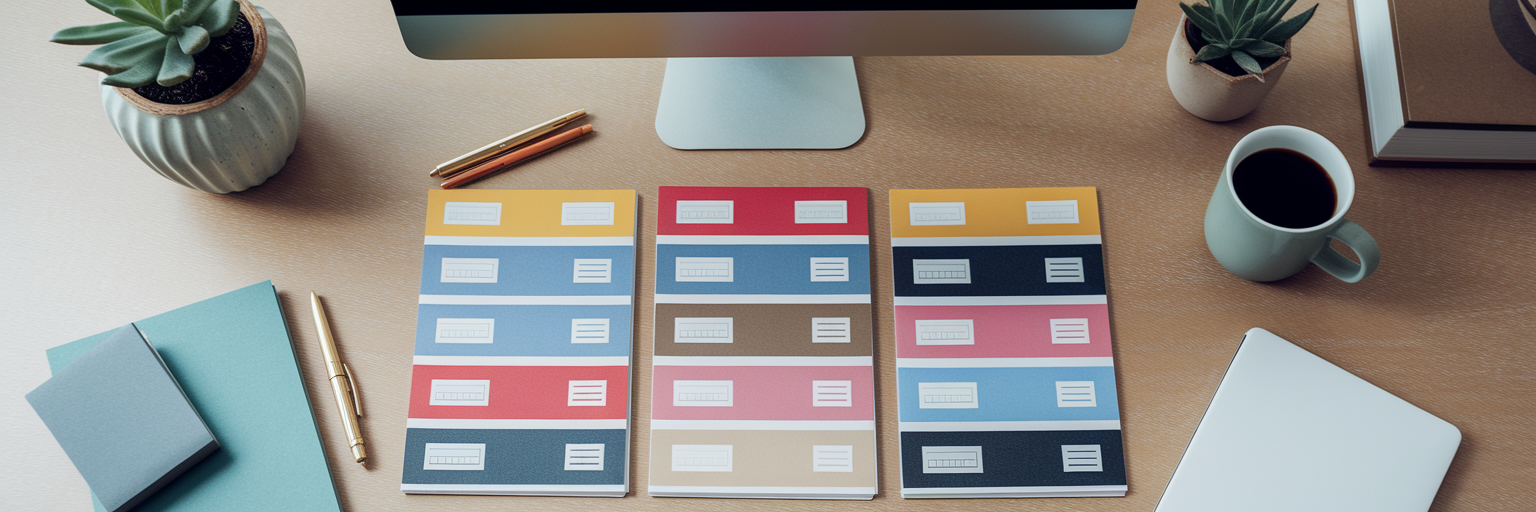
The first step is to establish a single, undisputed home for every piece of inspiration. This central hub is where the "where did I see that?" question goes to die. It’s a living library, not a digital storage closet.
Defining Your Single Source of Truth
A single source of truth is a dedicated digital space where every website, image, article, and video is collected and made accessible to the entire team. When everyone knows exactly where to look for and add inspiration, friction disappears. This concept is so powerful that, as a Spotify case study on remote sprints shows, using Figma as a central place for deliverables streamlined their entire process by eliminating confusion.
Key Elements of an Effective Hub
An effective hub needs a few key features to truly work. It must be visual, allowing you to see your ideas in grids or moodboards, not just a list of links. Powerful tagging and search are non-negotiable; you need to find that specific example of a checkout flow in seconds. Finally, the ability to add notes provides crucial context. A great practical step is to establish a consistent tagging convention from the start. Think `[Project-X]`, `[Login-Flow]`, or `[Typography]`. This simple habit makes it easy to organize design inspiration at scale and keeps your hub from becoming another messy folder. You can see what a well-organized collection looks like by exploring some of our curated design inspiration.
| Action |
The Old, Scattered Way (Chaos) |
The New, Centralized Way (Clarity) |
| Saving an Idea |
Screenshot to desktop, link in a random Slack DM, or another open tab. |
One-click save to a shared hub with relevant tags. |
| Finding an Idea |
Frantically searching through folders, chat history, and browser history. |
Quickly search or filter by tag, project, or keyword. |
| Sharing with Team |
Pasting multiple links into a chat, hoping everyone sees them. |
Share a single link to a curated collection or moodboard. |
| Getting Context |
Idea is just a link with no explanation. Requires a follow-up meeting. |
Notes and tags provide immediate context on why it was saved. |
Fueling Asynchronous Creativity and Collection
Great ideas don't stick to a 9-to-5 schedule. A truly effective design inspiration workflow embraces the asynchronous nature of remote work, allowing team members to contribute whenever creativity strikes. The key is to make capturing inspiration completely frictionless. Using creative workflow tools like a browser extension for one-click saving ensures that fleeting ideas are captured in the moment, before they vanish.
But capturing is only half the battle. Maintaining creative momentum requires consistent, small actions that build a shared context without endless meetings. Here are a few practices to try:
- Use a dedicated Slack/Teams channel: Set up an integration where every new item added to the hub is automatically posted. This creates a live feed of inspiration for the whole team.
- Add context with notes: Encourage everyone to add a short comment or a few tags explaining why an item is inspiring. This provides crucial context for asynchronous design feedback.
- Run a weekly 'Inspo Digest': Create a short, weekly roundup of the most interesting finds. This can be a simple shared document or a quick Loom video.
- Start a 'Daily Inspiration' habit: Encourage the team to check a curated feed for fresh ideas. Consistently fueling the team's creative pool can be as simple as exploring our Daily Inspiration feed each morning.
These habits of visual bookmarking for designers are what keep a remote team creatively aligned and engaged, turning individual discoveries into collective intelligence.
From Abstract Ideas to Actionable Insights

A library of beautiful designs is useless if you don't understand why they work. The next step in your workflow is to move from collecting to analyzing. This means formally deconstructing saved examples to study their typography, color palettes, spacing, component design, and user flows. This is where you transform a folder of pretty pictures into a strategic asset.
Modern creative workflow tools can accelerate this process. For instance, with a feature like our Design Analyse tool, you can instantly inspect the fonts, colors, and assets used on any saved site. This removes the guesswork and lets you focus on the strategic decisions behind the design.
A practical way to apply this is by creating specific collections for different project phases. You might have a board for 'Onboarding UX Flows,' another for 'Dashboard UI Components,' and a third for 'Mobile-First Layouts.' This analytical step is what connects your inspiration directly to your design system, ensuring consistency and informing concrete decisions. It’s how you build with intention, not just imitation.
Sharing and Iterating with Clarity
You’ve collected, organized, and analyzed your inspiration. Now it's time to share it and gather feedback. This is often where remote processes break down, devolving into confusing email threads and lost comments. A streamlined process for remote design team collaboration changes that.
The ability to share a curated collection or moodboard via a single, clean URL is a huge advantage. It allows you to present ideas professionally to clients or stakeholders without giving them access to your entire internal library. But sharing is only effective if the feedback you receive is clear and actionable. To improve your feedback loop, follow these simple rules:
- Be Specific: Tie feedback directly to an element in the shared collection and explain why it does or doesn't work for the project.
- Reference Project Goals: Frame all feedback around the project's objectives. Ask, "Does this navigation pattern support our goal of a faster checkout?"
- Keep It Centralized: Use commenting features within your tool or a dedicated document to keep all notes in one place, preventing feedback from getting lost.
This organized feedback loop, powered by the right creative workflow tools, accelerates iteration and reduces the misunderstandings that are all too common in remote work.
Future-Proofing Your Inspiration Process

The world of design is always changing, with trends like AI becoming more integrated into our daily work. AI-powered features can be a fantastic assistant, helping to suggest related assets or brainstorm ideas. But no matter how advanced the technology gets, the foundational principles of a great design inspiration workflow remain the same: a central hub, clear organization, and strong collaboration.
AI tools are most powerful when they are plugged into an already solid system. They can augment your process, but they can't fix a broken one. By building the habits discussed here, you create a resilient and scalable workflow that will serve your team for years to come.
Ready to get started? Take one small step today. Choose your central tool, define a team-wide tagging system, or simply start a shared collection for your next project. A great workflow is what empowers creativity, making remote design not just productive, but truly enjoyable. For more tips, explore the other guides on our blog.