Discover the best design tools for AI workflows in 2026 — from Figma AI and Midjourney to Bookmarkify, Firefly, Uizard, and more. Learn how modern designers use AI to ideate, organize inspiration, and speed up their entire creative process.
Last updated:
April 22, 2026
AI has officially become the backbone of modern design workflows. From generating concepts to organizing inspiration, designers in 2026 rely on a powerful ecosystem of tools that blend creativity, automation, and efficiency. Whether you're a product designer, brand designer, or UI/UX creator, having the right stack can drastically speed up your process — without losing the human touch.
Below are the best design tools for AI-driven workflows in 2026, and how they fit together to build a seamless creative pipeline.
1. Figma AI
Figma continues to dominate, and its AI layer elevates everything designers already love. With AI-assisted autolayout, instant wireframe generation, and component recommendations, designers can go from idea to prototype faster than ever.
What makes it great:
Generates UI variations instantly
Auto-cleanup for layers and naming
Natural language prompts to build components
It remains the main hub for collaboration and handoff — now turbocharged with automation.
2. Midjourney v7
Midjourney has evolved into the go-to visual AI engine for mood boards, concept art, branding ideas, and UI exploration.
Why designers love it:
Ultra-high realism and pixel control
Consistent character, style, and layout systems
Perfect for early ideation and concept testing
Most designers now pair Midjourney with Figma to move from vision → interface in minutes.
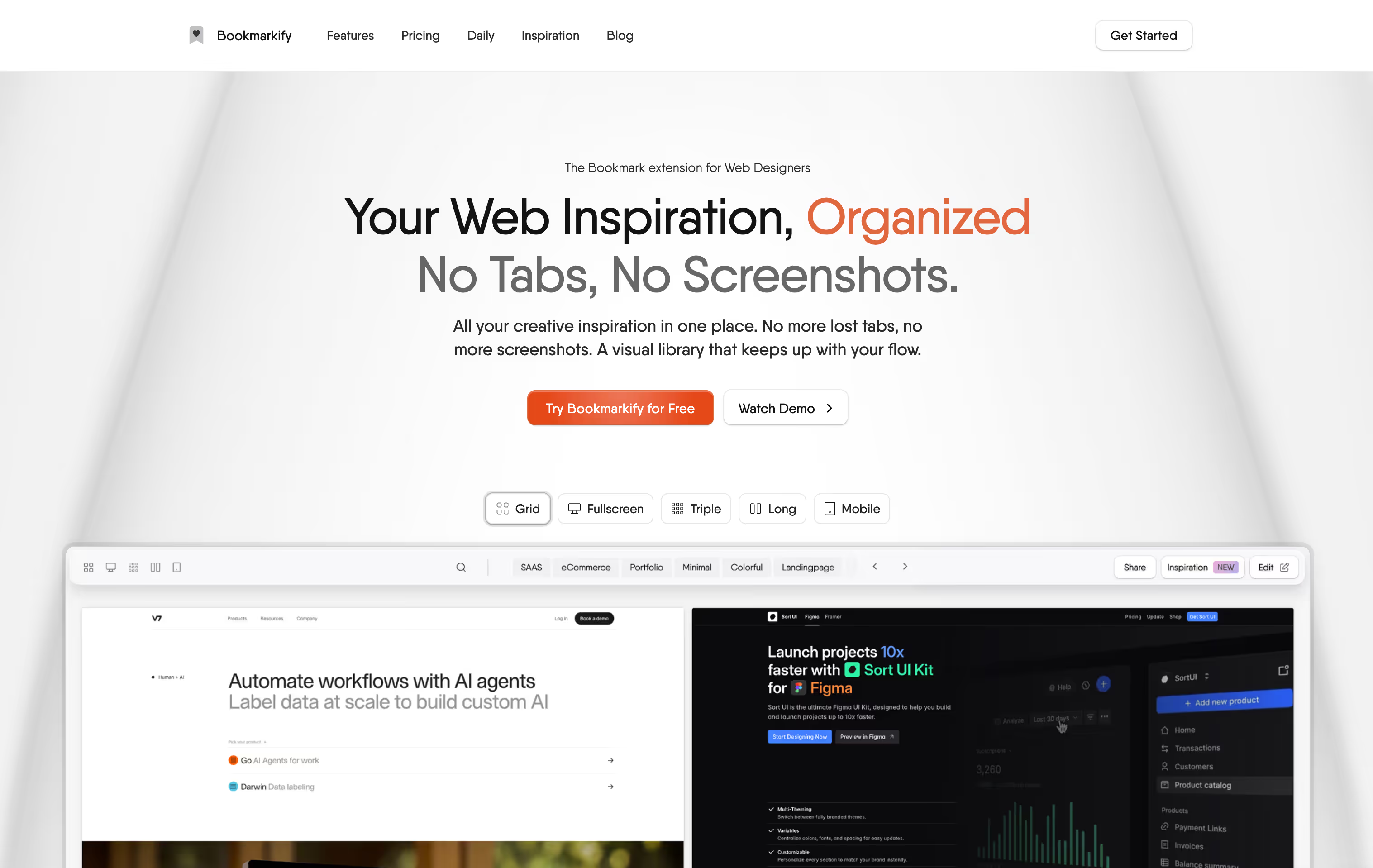
With design workflows now generating more content, assets, and references than ever, managing inspiration matters as much as creating it. This is where Bookmarkify stands out.
Bookmarkify is a visual bookmark manager built for designers — and in 2026 it has become a core part of AI-powered workflows.
Why Bookmarkify fits perfectly into AI design pipelines:
Interactive, live website previews — animations, transitions, and states still load
AI Analyze feature to extract fonts & colors from any website
Organized spaces for inspiration (moodboards, UI patterns, components)
Lightning-fast saving via Chrome extension
Teams mode (2026) for collaborative inspiration libraries
Instead of saving static screenshots like in others, Bookmarkify keeps websites alive — ideal for AI tools that rely on accurate design references.
4. Adobe Firefly 3
Firefly has become Adobe’s most-loved design assistant, especially for branding and marketing teams.
Key strengths:
Vectors, logos, and brand assets generated with near-perfect accuracy
Style match to existing brand guidelines
Smart editing inside Photoshop, Illustrator & XD
It’s a great tool for "polishing" Midjourney ideas or generating missing brand elements instantly.
5. Gamma (AI presentation design)
Designers building pitch decks, product updates, or portfolio layouts use Gamma to auto-structure beautiful slides.
Highlights:
Converts notes → polished slides in seconds
Auto-applies strong typography hierarchy
Ideal for design reviews and client presentations
A huge time-saver for teams who don’t want to fight with PowerPoint or Slides.
6. Uizard
If you want to go from napkin sketch → wireframe → UI, Uizard accelerates early product design faster than almost anything else.
Why it works:
Turns hand-drawn sketches into digital mockups
Provides AI-generated UI themes
Early stage prototyping without the Figma learning curve
Great for brainstorming new app ideas before moving to more advanced tools.
7. ChatGPT (as a design thinking partner)
ChatGPT remains the most versatile design sidekick.
What designers use it for:
UX copywriting
Information architecture planning
Persona creation
User flow mapping
Component naming
Accessibility suggestions
AI-assisted writing and thinking has become a must-have in every design team.
How These Tools Work Together in a Real 2026 Design Workflow
Here’s a typical AI-powered pipeline:
Bookmark with Bookmarkify → Save UI patterns, websites, and reference styles
Moodboard in Midjourney → Generate visual directions
Prototype in Figma AI → Convert ideas into structure
Refine assets in Firefly → Create logos, icons, visuals
Test flows with ChatGPT → Improve UX & microcopy
Pitch with Gamma → Build stakeholder-ready decks
Each tool covers a particular layer of the creative process — and together they reduce hours of work to minutes.
Conclusion
In 2026, great design is no longer about working harder — it’s about choosing tools that help you think, create, and iterate at lightning speed. AI workflows are now standard, and the tools above form a powerful ecosystem for modern designers.
If you want to level up your design workflow this year, start by organizing your inspiration with Bookmarkify, and let the rest of the AI stack build on top of it.
Ivan S
Lead Marketing Designer @Scribe, Founder @bookmarkify
Never lose inspiration again
Effortlessly Save time and stay Inspired: Streamline your workflow with Bookmarkify. No more juggling 10 tabs and screenshots.