

Best Figma plugins for workflows
Discover the top 10 Figma plugins for 2025 that boost productivity and streamline workflows. Transform your design process with tools trusted by 95% of Fortune 500 companies.
Last updated:
December 7, 2025
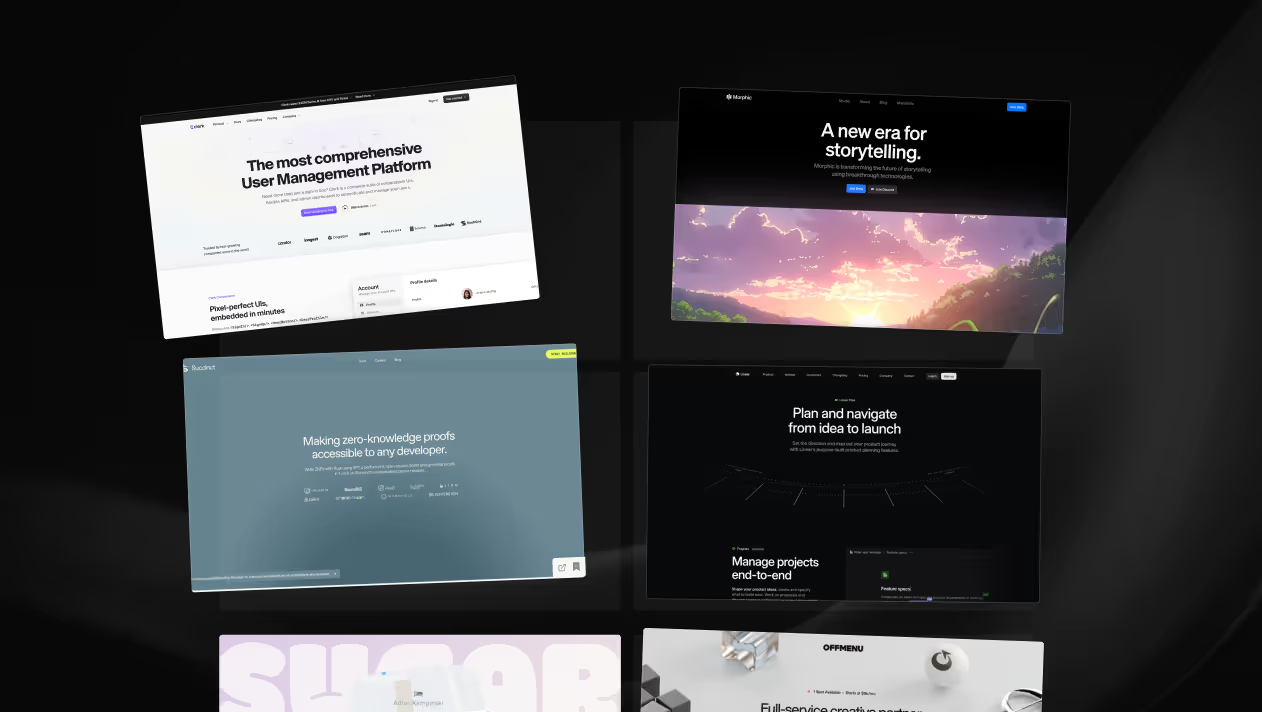
Discover the top 10 Figma plugins for 2025 that boost productivity and streamline workflows. Transform your design process with tools trusted by 95% of Fortune 500 companies.
Last updated:
December 7, 2025
Are you drowning in a sea of design bookmarks and struggling to find inspiration when you need it most? In this article, you’ll discover the top 10 Figma plugins for 2026 that can streamline your workflow and enhance your creative process. With over 80% of designers reporting that efficient tools significantly boost their productivity, these plugins will transform how you work with Figma and elevate your design projects.
Figma plugins are essential tools for creative professionals in 2026, enhancing productivity and collaboration in design workflows. With Figma holding a 40.65% market share in the design tool category and attracting 13 million monthly active users, it has become a cornerstone for designers and teams alike. Nearly 95% of Fortune 500 companies utilize Figma, highlighting its trustworthiness and effectiveness in professional settings. Furthermore, a significant 84% of designers collaborate with developers on a weekly basis, underscoring the need for seamless integration between design and development processes.
The Figma ecosystem boasts over 10,163 plugins, providing a diverse range of functionalities that cater to various design needs. These plugins streamline tasks, enabling designers to focus on creativity rather than repetitive processes. They allow for improved organization, faster prototyping, and enhanced collaboration, making it easier to manage complex projects. As the design landscape evolves, leveraging the right plugins will be crucial for staying ahead. Embracing these tools not only boosts individual productivity but also fosters a collaborative environment that can lead to innovative outcomes. By integrating effective plugins into their workflows, creative professionals can significantly enhance their design processes and project outcomes.
Bookmarkify serves as a powerful visual bookmark manager tailored specifically for web designers and creative professionals. In a field where inspiration is crucial, this tool allows users to save, organize, and efficiently revisit design ideas, eliminating the chaos of scattered tabs and lost links. With customizable view modes and advanced tag-based organization, Bookmarkify transforms a cluttered collection of bookmarks into a visually engaging library, making it easy to find and manage design inspiration.
The platform is particularly beneficial for teams, as it streamlines workflows by enabling seamless collaboration. Upcoming features like integration with Figma will enhance its utility further, allowing designers to work more effectively with their teams. It’s designed to keep pace with the fast-moving demands of creative projects, ensuring that all inspiration is just a click away. By consolidating resources in one place, Bookmarkify not only boosts productivity but also fosters a more organized approach to creativity.
With over 2,000 web designers already leveraging its capabilities, this tool has proven to be a reliable choice for those looking to enhance their creative processes. The promise of a visual library that keeps up with your workflow is not just a convenience; it’s a necessity for modern design practices (Get Started).
Access to a comprehensive icon library is vital for designers seeking to enhance their projects in Figma. Iconify offers an extensive collection of icons that can be easily integrated into designs, significantly reducing the time spent sourcing graphics. With a user-friendly interface, designers can quickly search for and insert icons directly into their projects, ensuring a seamless workflow.
This plugin not only supports various icon sets but also allows for customization, promoting a cohesive design aesthetic. By streamlining the icon selection process, Iconify helps maintain creative momentum, enabling designers to focus on crafting visually engaging experiences (Get Started).
Integrating Unsplash into Figma enhances the design process by providing easy access to a vast library of high-quality stock photography. Designers can quickly search for images that align with their projects, significantly reducing the time spent sourcing visuals. This seamless integration allows users to drag and drop images directly into their designs, maintaining workflow efficiency.
Unsplash boasts over one million free high-resolution images contributed by photographers worldwide, making it an invaluable resource for creative professionals. With the ability to search by keywords or categories, designers can find inspiration and visuals that perfectly complement their concepts. This not only enhances the aesthetic appeal of their designs but also ensures that the imagery resonates with the intended message.
Moreover, the integration supports collaborative efforts, as team members can easily share and access imagery within Figma. This feature is particularly beneficial for teams working remotely, as it fosters a cohesive design environment. As a result, Unsplash's integration into Figma is not just about accessing images; it's about enriching the creative process and streamlining collaboration. By utilizing high-quality visuals, designers can elevate their work, ensuring that their projects stand out in a competitive landscape, especially as Figma continues to be a favored tool among 95% of Fortune 500 companies (Figma).
Anima simplifies the design-to-code conversion process, making it an essential plugin for Figma users. By enabling designers to generate high-quality code directly from their Figma designs, Anima bridges the gap between design and development. This tool supports various frameworks, including HTML/CSS, React, Vue, Tailwind, TypeScript, JavaScript, and Next.js, allowing for a seamless transition from visual design to functional code.
The impact of Anima is notable, as it significantly reduces the time and effort required for developers to translate designs into code. As Andrew Baisden, a developer, noted,
"Anima was able to build the design straight from a Figma file in a very short space of time with fairly high accuracy." - Andrew Baisden, Developer (Medium)
This efficiency not only enhances productivity but also ensures that the final product closely aligns with the original design intent. With Anima, teams can focus more on creativity and innovation, rather than getting bogged down by repetitive coding tasks. As the demand for rapid development increases, tools like Anima will continue to play a crucial role in optimizing workflows and improving collaboration between designers and developers.
Anima:
Supports HTML/CSS, React, Vue, Tailwind, TypeScript, JavaScript, and Next.js code generation. (Anima)
Integrating animations into design projects can elevate user experiences, making interactions more engaging. LottieFiles is a powerful Figma plugin that simplifies this process by allowing designers to easily incorporate animations created with Adobe After Effects. The plugin exports animations in a lightweight JSON format, ensuring smooth performance across platforms. This capability is particularly beneficial for web and mobile applications, where load times are critical.
With LottieFiles, designers can search through a vast library of pre-made animations or create custom ones tailored to their projects. The plugin’s user-friendly interface enables seamless adjustments to animations, such as resizing or color changes, without needing extensive coding knowledge. This flexibility empowers designers to maintain control over their creative vision while collaborating effectively with developers.
Moreover, the plugin supports real-time previews, allowing designers to see how the animations will look directly in Figma. This integration not only saves time but also enhances the overall design workflow. As a result, LottieFiles stands out as a must-have tool for any designer looking to bring their projects to life with dynamic animations, aligning with current trends in user interface design (Figma).
Stark Suite provides essential accessibility compliance tools that are crucial for designers aiming to meet industry standards. More than 25,000 companies worldwide utilize Stark to enhance their accessibility efforts, with users of the Sidekick tool starting out with 25% fewer accessibility issues on average. This significant reduction underscores the effectiveness of Stark's solutions in promoting inclusivity in design.
One of Stark's standout features is its WCAG Audit tool, which allows users to run compliance scans on any website or web app. It generates easy-to-read downloadable reports within seconds, making it simpler for teams to identify and address potential accessibility challenges. By incorporating such tools into their workflows, designers can ensure their projects are not only aesthetically pleasing but also accessible to all users, ultimately fostering a more inclusive digital landscape.
Figma plugins enhance design workflows by providing essential tools that save time and improve efficiency. As of 2026, here are the top ten plugins every designer should consider:
These plugins can dramatically improve productivity, enabling designers to focus more on creativity and less on repetitive tasks (Source Name).
Autoflow is a powerful Figma plugin designed to streamline the creation of user flow diagrams. It enables designers to visualize user journeys efficiently, making it easier to communicate ideas and collaborate with teams. By automating the process, Autoflow reduces the time spent on repetitive tasks, allowing designers to focus on refining their concepts and enhancing user experiences.
With Autoflow, users can quickly generate flow diagrams by simply dragging and dropping elements onto the canvas. The plugin supports customizable shapes and connectors, making it versatile for various design needs. Additionally, it allows for seamless integration with existing Figma projects, ensuring that designers can maintain consistency in their workflows.
In 2026, as the demand for intuitive design tools continues to rise, Autoflow stands out by simplifying complex processes. The growing emphasis on user-centric design means that tools like Autoflow will be crucial for professionals looking to create engaging and effective user interfaces. As Figma's ecosystem expands, utilizing plugins like Autoflow not only enhances productivity but also fosters collaboration among team members. This aligns with the trend of 84% of designers collaborating with developers weekly, highlighting the importance of tools that bridge gaps between design and development processes (Figma).
Batch layer organization in Figma can significantly streamline design workflows, especially for teams handling multiple projects. By implementing a structured naming convention for layers and components, designers can enhance clarity and collaboration. This practice not only aids in identifying elements quickly but also reduces the time spent searching for specific layers during revisions.
Using prefixes to categorize layers—such as "btn-" for buttons or "img-" for images—creates a consistent method that benefits both designers and developers. This organization facilitates easier handoffs, ensuring that developers can locate the necessary assets without confusion. Moreover, maintaining a clean layer hierarchy prevents clutter, allowing teams to focus on the creative aspects of their projects. As Figma's user base continues to grow, with 13 million monthly active users, optimizing layer organization will become increasingly crucial for effective collaboration and productivity within teams (Source Name).
Data visualization is crucial for designers looking to present complex information clearly and effectively. Charts simplify data interpretation, allowing stakeholders to grasp insights quickly. Figma offers several plugins that enhance chart creation, streamlining the design process while ensuring visual appeal.
Among the top Figma plugins for 2026, tools like Chartify and Figmotion stand out. Chartify enables users to generate various chart types effortlessly, while Figmotion adds motion graphics to charts, making presentations more engaging. These plugins not only save time but also elevate the quality of design projects.
With over 10,163 plugins available, Figma's ecosystem caters to diverse design needs, enhancing productivity and collaboration. This flexibility is vital as 95% of Fortune 500 companies leverage Figma's capabilities, underscoring its importance in professional settings (Figma).
Choosing the right Figma plugins is crucial for enhancing your design workflow. With over 10,163 plugins available, designers face the challenge of selecting tools that truly meet their needs. The right plugins can significantly streamline processes, making it easier to manage tasks like prototyping, collaboration, and design system management.
As you navigate this vast selection, consider the specific features that can elevate your work. Highly demanded functionalities include responsive layout generators, design-to-code converters, and accessibility tools. These features not only improve efficiency but also foster collaboration between designers and developers. Understanding your workflow and identifying which areas need enhancement will guide you in making informed decisions.
Additionally, keep in mind the importance of integration with your existing tech stack. A plugin that works seamlessly with your other tools can further boost productivity. Ultimately, selecting the right Figma plugins involves balancing functionality with ease of use, ensuring they align with your design goals and collaborative efforts (Figma Plugin Sage).
Assessing your design needs before selecting Figma plugins is essential for maximizing efficiency. Start by identifying specific pain points in your workflow, such as time-consuming tasks or collaboration hurdles. For instance, if you frequently struggle with creating consistent design systems, look for plugins that offer component libraries or style guides. Tailoring your plugin choices to these needs will enhance your overall design process and foster better team collaboration.
Integrating Figma plugins with your existing tech stack is crucial for maximizing efficiency and collaboration. For instance, if your team uses project management tools like Trello or Asana, selecting plugins that offer seamless connectivity can streamline task assignments and updates directly from Figma. This integration minimizes context switching, allowing designers and developers to work more cohesively. Additionally, plugins that connect with code repositories can facilitate smoother transitions from design to development, ensuring that design specifications are accurately implemented. Prioritizing compatibility with your tools enhances workflow and productivity.
When evaluating Figma plugins, understanding the balance between free and premium features is essential. Free plugins often provide basic functionalities, while premium options unlock advanced tools that can significantly enhance your workflow. For instance, premium plugins might offer more extensive integrations, real-time collaboration tools, or advanced analytics, which can justify their cost for professional teams. Assessing your specific needs will help determine if the investment in premium features is worthwhile for your design process.
Maximizing plugin performance in Figma involves several key strategies that can significantly enhance your design workflow.
"Figma uses an execution model where plugin code runs on the main thread in a sandbox for performance." - Figma Developer Documentation (Figma)
The future of Figma plugins is set to revolutionize design workflows, especially as AI technologies continue to advance. With 82% of designers and developers believing that AI will reduce manual tasks, and 80% anticipating faster workflows, the integration of AI within Figma plugins will enhance efficiency and creativity in design processes. This evolution will enable designers to automate repetitive tasks, allowing them to focus on innovative design rather than mundane details.
As plugins become more sophisticated, they will likely offer improved collaboration features, making it easier for teams to work together seamlessly. The demand for versatile tools that can adapt to diverse design needs will drive the development of plugins that support better organization, rapid prototyping, and enhanced user experience.
Figma's revenue growth reflects this trend, with a significant increase to $749 million in 2024, indicating a robust market for its tools and plugins. As the ecosystem expands, designers can expect a wealth of new functionalities that will streamline their workflows and enhance their creative output (SQ Magazine).
Utilizing the right tools can significantly enhance your creative process, especially in a dynamic environment like Figma. As the design landscape evolves, integrating effective plugins becomes crucial for optimizing workflows and maximizing productivity. With over 10,163 plugins available, selecting the most beneficial ones tailored to your needs can streamline repetitive tasks, allowing you to focus on creativity and innovation.
In 2023, 75% of product designers regarded Figma as their primary UI design software, and projections suggest that around 26,829 companies will adopt the platform by 2026. This trend underscores Figma's growing importance in design teams worldwide. Embracing plugins not only facilitates better organization but also accelerates prototyping and improves collaboration among team members.
Innovation is at the heart of effective design, and the right plugins can provide the tools needed to bring your ideas to life. By leveraging these resources, you can elevate your creative output, ensuring that your designs not only meet industry standards but also stand out in a competitive market. As you explore the best plugins for 2026, consider how each tool can fit into your workflow, enhancing both efficiency and creativity in your projects.
Figma plugins are tools that enhance the functionality of Figma, streamlining design processes, improving collaboration, and saving time. They are essential for creative professionals looking to optimize their workflows.
Identify specific pain points in your design process, such as repetitive tasks or collaboration challenges. Choose plugins that address these needs and integrate well with your existing tools to optimize efficiency.
Yes, many free plugins offer essential functionalities that can enhance your design workflow. However, premium plugins may provide advanced features that justify their cost for professional teams.
To install a plugin, navigate to the Figma Community, search for the desired plugin, and click "Install." You can manage installed plugins through the Figma menu under "Plugins" to enable or disable them as needed.
Expect increased integration of AI technologies, which will streamline tasks and enhance collaboration. Future plugins may offer more sophisticated features for automation, organization, and rapid prototyping, improving overall design workflows.

Ivan S
Lead Marketing Designer @Scribe, Founder @bookmarkify

Effortlessly Save time and stay Inspired: Streamline your workflow with Bookmarkify. No more juggling 10 tabs and screenshots.



