Ending the Chaos of Creative Inspiration
Picture this: you have 42 open browser tabs, your desktop is a minefield of untitled screenshots, and that one perfect link is buried in a Slack thread from last month. We’ve all felt that low-grade stress, the inspiration anxiety that comes from a disorganized digital workspace. This isn’t just messy; it’s a creativity killer.
When finding a reference feels like a chore, the momentum of a great idea fizzles out. Your mental energy gets wasted on digital housekeeping instead of actual creation. A visual bookmark manager isn’t just another app. It’s a fundamental shift in your workflow, designed to give that mental space back to you, the creative.
What Exactly Is a Visual Bookmark Manager?
Forget the traditional, text-based bookmark lists you’ve been using for years. A visual bookmark manager is more like a personal, searchable Pinterest board for your entire digital life. Think of it as a digital studio wall where you can pin up ideas and see them all at once, creating connections you’d otherwise miss.
The mechanics are simple. You save a link, and it instantly becomes a visual card with a thumbnail, title, and description. This visual approach supports the way creatives think, allowing for organization through flexible tags and drag-and-drop arrangements rather than rigid, text-only folders. It’s about seeing your inspiration, not just reading a list of page titles.
With a tool like Bookmarkify, you can switch between different view modes to see your content in the context you need. A grid view is perfect for quick scans, while a moodboard view helps you tell a visual story. This moves you beyond simple storage and into active curation, a process that can be refined by exploring other creative workflow tools that complement this visual method.
Ultimately, it’s about transforming scattered links into a powerful, searchable library that works the way your brain does: visually.
From Cluttered Folders to a Cohesive Visual Library
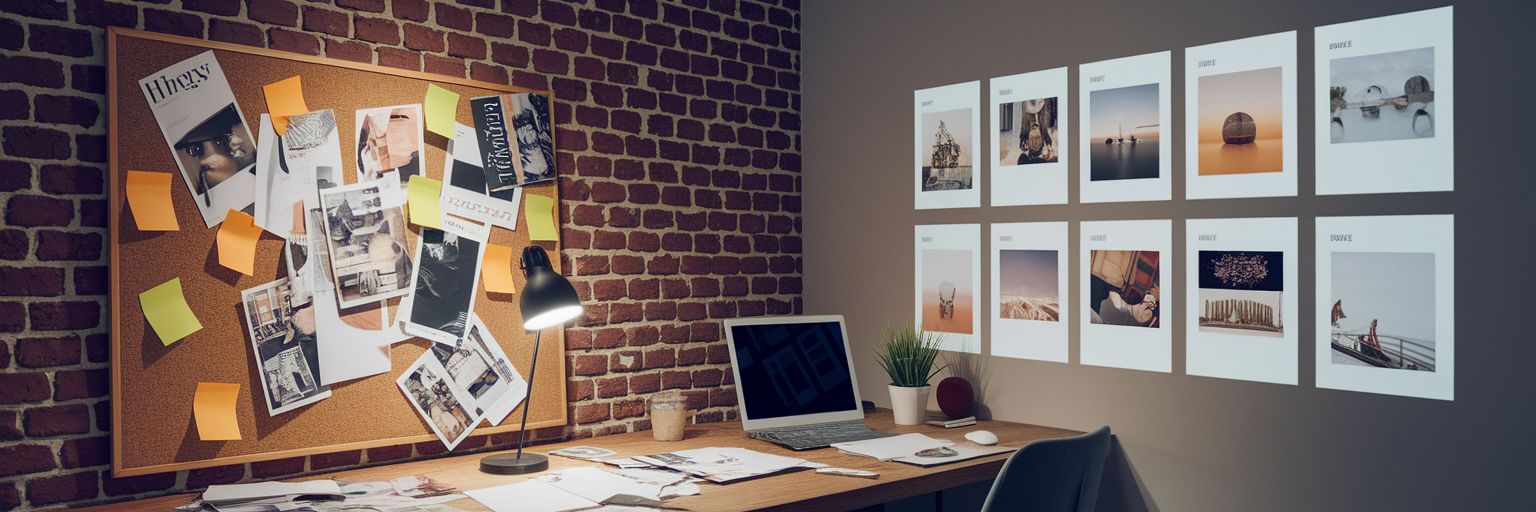
We can all recall the frustration of clicking through vaguely named browser folders like "Web Inspo_2" or "Client_Project_Final," trying to find a specific layout you saved months ago. The context is gone, and the time wasted is immense. It’s a digital graveyard of good intentions.
Now, imagine the "after" picture. With a visual bookmarking app, that same designer can simply search for a tag like #minimalist or filter by #ecommerce and instantly see a gallery of relevant websites. This is the shift from passively storing links to actively curating an inspiration library. It becomes a living, breathing creative asset that grows with you.
This transformation also streamlines collaboration. Instead of emailing a messy list of URLs, you can share a beautifully curated collection with a client or teammate via a single link. This simple feature turns a chaotic feedback process into a seamless, professional presentation.
| Aspect | Traditional Folder-Based Bookmarking | Visual Bookmark Manager |
|---|
| Organization | Rigid, hierarchical text lists | Flexible tags, collections, and visual grids |
| Context | Lost; only a title is visible | Rich visual previews (thumbnails, screenshots) |
| Findability | Slow; requires clicking through folders | Instant; search by keyword, tag, or even color |
| Collaboration | Difficult; involves sending lists of links | Simple; share curated visual collections with a single URL |
How Visual Bookmarking Supercharges Your Workflow
Adopting a visual approach does more than just tidy up your browser. It fundamentally improves your day-to-day creative process. These are not just organizational tweaks; they are powerful creative workflow tools that give you a tangible edge.
Accelerate Your Research Phase
The typical research process is a clunky loop of search, open tab, save, and switch back. A browser extension for a visual bookmark manager collapses this entire cycle. You can gather dozens of references for a project or a moodboard creation tool without ever breaking your focus, saving everything you find into a dedicated collection with one click.
Break Through Creative Blocks
Staring at a blank page? A list of links won't help. But laying out your inspiration visually allows your brain to spot patterns, color palettes, and layout connections that are invisible in a text list. It’s in these visual relationships that those "aha!" moments are born, helping you connect disparate ideas into something new.
Analyze Designs in an Instant
The best tools go beyond just saving a picture. With Bookmarkify Pro, you can instantly inspect key design elements like fonts, colors, and assets directly from your saved bookmark. This saves an incredible amount of time you’d otherwise spend using browser developer tools to dissect a site’s style.
Streamline Collaboration and Feedback
Presenting a curated visual story to a client gets you better, more specific feedback. Instead of asking them to review a list of links, you’re showing them a cohesive vision. As noted in an article on digital experiences, the goal is to create an emotional connection, which a well-curated moodboard does far better than a list of URLs. This makes the feedback process faster and keeps everyone aligned.
Finding the Right Visual Approach for Your Needs

It’s important to acknowledge that "visual bookmarking" isn't a one-size-fits-all solution. Some tools are like freeform digital whiteboards, perfect for brainstorming. Others, as described in BrainTool's user guide, use a hierarchical "topic map" to nest bookmarks, which suits highly structured projects. The best bookmark manager for designers is one that adapts to your specific needs.
This is where flexibility becomes key. Bookmarkify was built with this adaptability in mind. Having multiple view modes in one tool means you don’t have to switch apps for different tasks. Use the grid view for quick scanning, a desktop preview for layout analysis, and the moodboard view for storytelling. It’s one tool that serves many functions within your workflow.
A great system also brings fresh ideas to you. Features like our 'Daily Inspiration' feed deliver curated websites, apps, and job opportunities directly to you, helping you stay on top of trends without the endless, aimless scrolling.
Your Action Plan to Get Started Today
Switching systems can feel daunting, but it doesn't have to be a massive overhaul. Think of it as a weekend project that will pay dividends for years. Here’s a simple, actionable guide on how to organize design inspiration effectively.
- Step 1: Consolidate Your Mess. Start by exporting bookmarks from your browser. Gather those stray links from your notes, emails, and messaging apps. The goal is to get everything in one place so you can start with a clean slate.
- Step 2: Pick One Project. Don't try to organize years of saved links at once. Instead, focus on a single active project. This provides an immediate, tangible win and demonstrates the tool's value right away.
- Step 3: Build the Tagging Habit. Tagging is the system's superpower. Start with simple, intuitive tags like #logo, #landing-page, or #typography. Apply them the moment you save an item. This small habit is the key to a searchable, long-term library.
You can get started without any commitment. Many tools, including Bookmarkify, let you start with a free plan to see if the workflow fits your style.
The Future of Creative Organization

Looking ahead, the role of the visual bookmark manager is set to become even more integrated into our creative lives. The next generation of these tools will likely use AI to suggest tags, group similar visuals automatically, and even enable semantic search, letting you ask things like, "find websites with bold, yellow headers."
Of course, this comes with its own considerations, like ensuring AI doesn't misinterpret niche creative styles or maintaining data privacy. But the direction is clear: your bookmark manager is evolving into an intelligent creative partner that anticipates your needs.
Ultimately, this is about more than just organization. It’s about reclaiming your time and mental energy for what truly matters: creating. Stop organizing and start creating. Ready to end the chaos? Try Bookmarkify today and build the inspiration library you’ve always wanted.