In today’s fast-paced design world, the ability to collaborate seamlessly is no longer a “nice to have”—it’s essential. Design collaboration tools help creative teams work together, share feedback, track ideas, and deliver high-quality outcomes faster and with less friction. They bring designers, developers, product managers, and stakeholders into one shared workflow where communication is clear and progress is visible.
Whether you’re a remote team, agency, or solo designer working with others, this guide breaks down the best tools, key features, benefits, and how Bookmarkify Collab adds a new layer of collaborative inspiration gathering.
What Are Design Collaboration Tools?
Design collaboration tools are software platforms that let teams share, work, and communicate on design work together—often in real time. They provide centralized spaces for files, feedback, annotations, brainstorming, version history, and project coordination.
In contrast to standalone design editors, these tools focus on team interaction and workflow across multiple contributors—even across different tools and disciplines.
Why Design Collaboration Matters
Using dedicated design collaboration tools transforms how teams work:
1. Faster Feedback & Iteration
Instant commenting and annotations keep ideas moving without endless email chains
2. Real-Time Coordination
Multiple contributors can work simultaneously in shared spaces—eliminating version confusion.
3. Centralized Information
All design assets, feedback, and decisions live in one place, reducing lost files and context.
4. Enhanced Creativity
Brainstorming, shared moodboards, and visual whiteboards spark collaboration earlier in the process.
📌 Key Features to Look For
Great design collaboration tools share a set of core capabilities:
- Real-Time Collaboration: Everyone sees updates instantly.
- Feedback & Annotation: Comment on designs directly with context.
- Version Control: Track changes and revert when needed.
- Shared Workspaces: Centralized files and assets accessible to your team.
- Integrations: Connect with project management, messaging, and design apps.
- Permissions & Roles: Control who can view, comment, or edit.
This mix boosts productivity, reduces errors, and keeps everyone aligned on the same goals.
🏆 Top Design Collaboration Tools of 2026
Here’s a curated list of leading tools you should know about (across different use cases):
🔹 Real-Time Design & Prototyping
- Figma: Industry-leading cloud-based design and prototyping with real-time multi-user collaboration.
- FigJam: Figma’s whiteboarding tool for brainstorming and ideation with teams.
🔹 Visual Brainstorming & Planning
- Miro: Infinite collaborative whiteboard for brainstorming, mapping flows, and workshops.
- Notion: Flexible workspace for notes, planning, and sharing design documentation.
🔹 Feedback & Approval
- Ziflow: Streamlined design review with annotation, version control, and approval workflows.
- Filestage: Focused on gathering stakeholder feedback with clear approvals.
🔹 Wireframing & Prototyping
- Justinmind: Prototyping with shared cloud access and real-time sharing.
🔹 All-Purpose & Team Workflow
- Slack + Notion + Figma Combo: Messaging, documentation, and live design work together.
(This list is drawn from multiple industry rankings and reviews.)
📈 How Bookmarkify Collab Fits In
While many tools focus on creating design assets, Bookmarkify Collab specializes in the early inspiration and discovery phase—and uniquely helps teams capture, share, and organize design inspiration together before the design starts.
Key benefits:
❤️ Shared Inspiration Boards
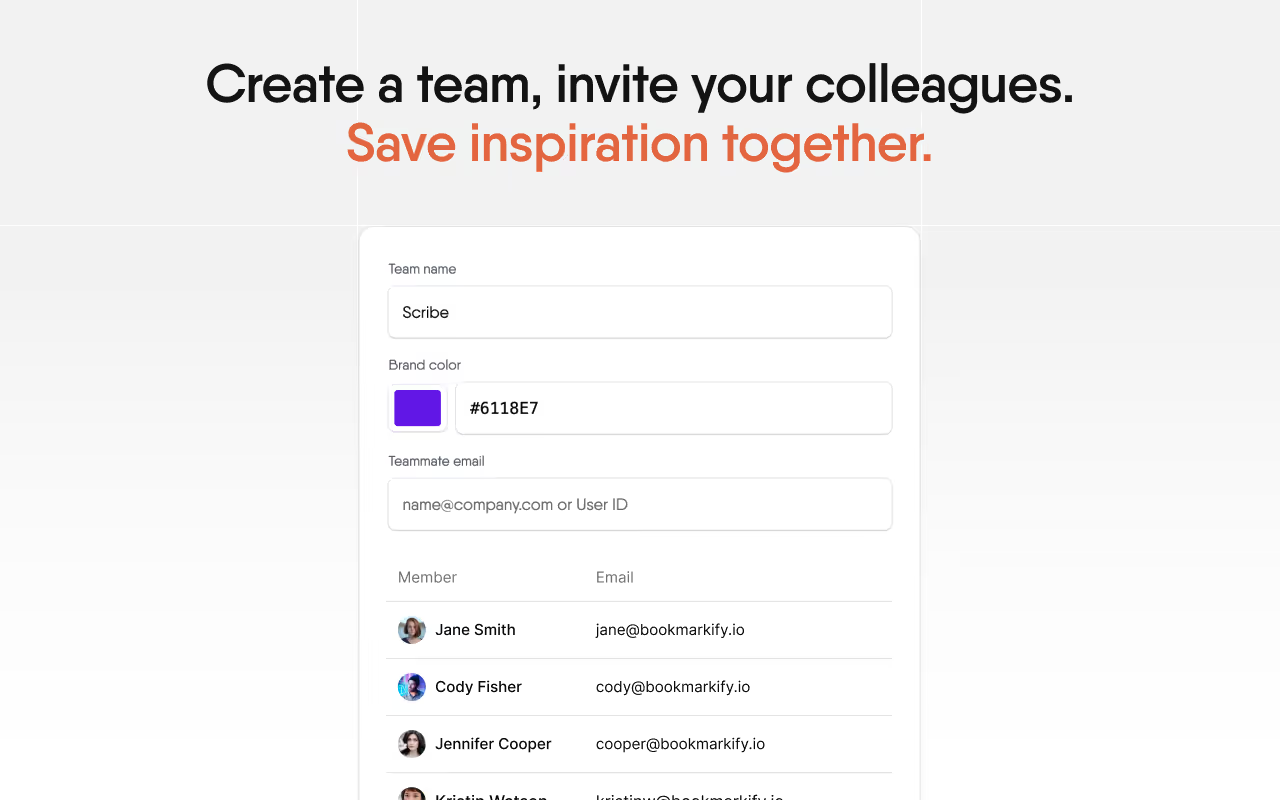
Create teams and collect bookmarks together—so designers and collaborators see the same inspiration in context.
🔗 Shareable Collections
Generate shareable links with your team or clients so everyone stays aligned.
📂 Organized by Tags & Views
Filter, categorize, and view inspirations in multiple modes that suit your workflow.
🌐 Seamless Sync With Your Design Process
Inspiration that lives outside static screenshots or scattered tabs—ready when you begin designing.
By capturing the ideas first and sharing them with your team, Bookmarkify Collab fills a gap most collaboration tools overlook: shared creative alignment from day one. Bookmarkify
🚀 Workflow Ideas with Bookmarkify Collab + Design Tools
Here’s how top teams streamline their creative process:
- Collect and curate team inspiration with Bookmarkify Collab.
- Kick off ideation sessions on Miro or FigJam using that shared inspiration.
- Design & prototype in Figma with live team input.
- Gather feedback and finalize using Ziflow or Filestage.
This holistic workflow keeps inspiration, ideas, design, and feedback connected—not siloed.
📌 Choosing the Right Tools for Your Team
Here’s how to decide:
✔ Your team’s size & workflow complexity
✔ Required integrations (Slack, Notion, Jira, etc.)
✔ Real-time vs annotated feedback needs
✔ Whether inspiration alignment matters
Bookmarkify Collab is ideal when shared idea discovery and curation are part of your creative process, especially for distributed or hybrid teams.
📍 Final Takeaway
Design collaboration tools are now indispensable for creative teams of all shapes and sizes. From real-time prototyping in Figma, brainstorming in Miro, to capturing early inspiration with Bookmarkify Collab, the best workflows blend idea discovery, shared context, and synchronized execution to reduce friction and spark better creative decisions.
Start your team off right—because collaboration isn’t just about working together, it’s about thinking together, earlier and better.