What Is an Infinite Canvas?
An infinite canvas is a digital workspace with no fixed boundaries. Unlike a document with set page dimensions or a slide with defined edges, an infinite canvas expands in every direction as you add content. You can place text, images, shapes, drawings, links, and other media anywhere on the surface, zoom out to see everything at once, or zoom in to focus on a single detail. The canvas grows with your thinking rather than constraining it to a predetermined format.
The concept draws from how people naturally organize ideas in physical space — spreading papers across a desk, pinning references to a wall, or arranging sticky notes on a whiteboard. An infinite canvas digitizes that spatial thinking process while removing the physical limits of wall space and desk area.
How Infinite Canvas Tools Became Mainstream
Infinite canvases have existed in design software for decades — tools like Illustrator and Figma have always used an unbounded artboard space. But the concept went mainstream between 2020 and 2024 as remote work created demand for digital alternatives to physical whiteboards and collaboration walls.
Miro, launched in 2011 as RealtimeBoard, was among the first to popularize the infinite whiteboard for team collaboration. FigJam followed in 2021 as Figma's answer to collaborative brainstorming. Apple's Freeform app, released in late 2022, brought the concept to every iPhone and iPad user. Obsidian Canvas, tldraw, and Excalidraw further expanded the category with different takes on spatial organization.
Today, the infinite canvas has become the default interface pattern for visual collaboration, brainstorming, mood boarding, and spatial note-taking. The collaborative whiteboard market is projected to reach $8.11 billion by 2033, reflecting how deeply spatial digital workspaces have embedded in professional workflows.
Why Designers Think Better on a Canvas
Designers are spatial thinkers. The way you arrange elements on a screen — proximity, alignment, grouping, hierarchy — is literally your job. It makes sense that the tools you use to think and organize should work the same way.
A canvas lets you do things that linear tools like documents, spreadsheets, and bookmark lists can't:
Spatial grouping communicates relationships. When you place three website references close together on a canvas, the proximity itself says "these are related." You don't need a folder label to make that connection — the spatial arrangement is the organization. This mirrors how designers naturally think about layouts: position implies meaning.
Zoom levels support different thinking modes. Zoomed out, you see the big picture — how all your references, notes, and ideas relate to each other. Zoomed in, you focus on a single element in detail. This matches how design work oscillates between strategic thinking ("What's the overall direction?") and detailed execution ("What exact shade of blue?").
Freeform arrangement supports non-linear thinking. Design rarely follows a straight line from brief to finished product. Ideas branch, references connect in unexpected ways, and the "right" organization often only becomes clear after you've been working for a while. A canvas lets you rearrange without the friction of restructuring a folder hierarchy or reordering a list.
Visual density increases serendipity. When your references are spread across browser tabs, folders, and bookmark lists, you only see one thing at a time. On a canvas, you see everything simultaneously. Patterns emerge that you'd never notice when references are siloed — two websites that use the same spacing rhythm, a color that appears across three different competitors, a navigation pattern that keeps showing up.
Types of Infinite Canvas Tools
Not all infinite canvases serve the same purpose. The category has split into distinct types, each optimized for a different workflow.
Collaborative Whiteboards
Tools like Miro, FigJam, and Mural are built for real-time team sessions. Their canvases emphasize sticky notes, shapes, connectors, voting, timers, and facilitation features. They're optimized for brainstorming workshops, sprint retrospectives, and structured group activities. These tools treat the canvas as a shared meeting surface.
Visual Note-Taking Canvases
Tools like Obsidian Canvas, Heptabase, and Scrintal use the canvas for personal knowledge management. Their canvases emphasize connections between notes, bidirectional linking, and building a web of related ideas over time. They're optimized for researchers, writers, and thinkers who build understanding through spatial organization of concepts.
Design Inspiration Canvases
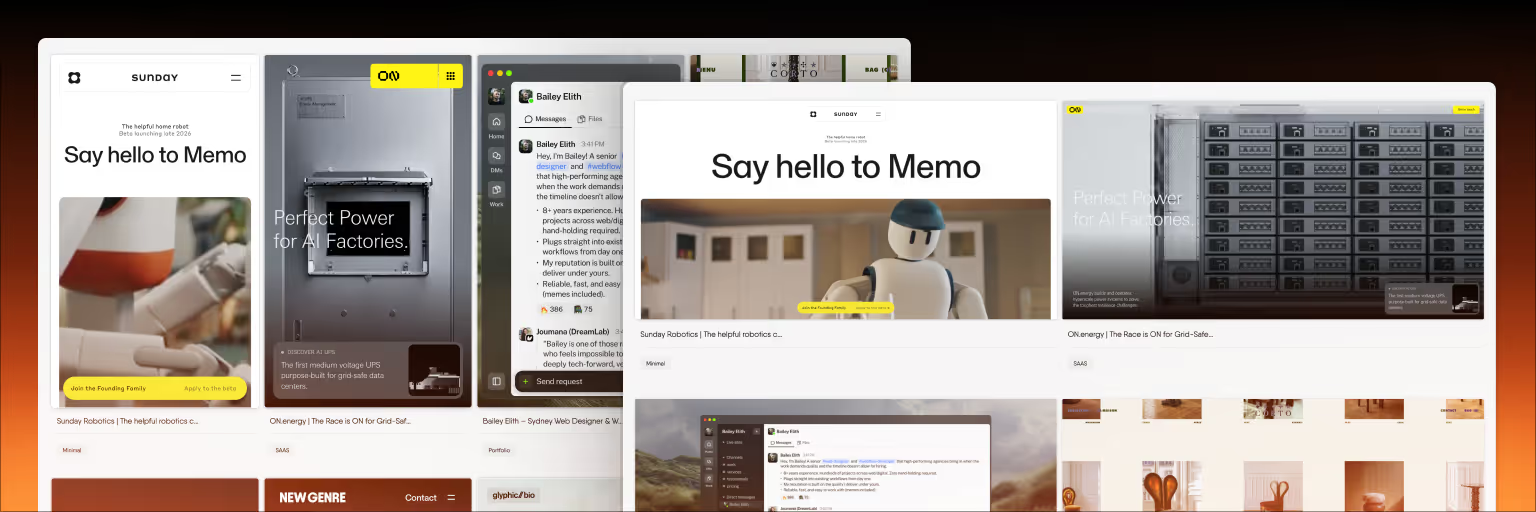
This is where Bookmarkify fits. Its canvas is built specifically for designers who collect and organize web design references. The key differentiator: saved websites remain fully interactive on the canvas — you can scroll through them, click navigation elements, test responsive behavior, and extract design details like fonts and colors. No other canvas tool preserves website interactivity. Most treat web references as static screenshots or link cards, losing the information designers care about most.
Bookmarkify's canvas also includes folders, pages, notes, and connection tools for spatial organization, plus six view modes (grid, triple, long, fullscreen, mobile, list) for browsing saved content outside the canvas. The free plan includes canvas access.
Creative Workspace Canvases
Tools like Milanote and Notion Canvas focus on arranging mixed media — images, text, files, links, and to-do lists — into visual boards. They're optimized for creative briefs, mood boards, and project planning where the board itself is the deliverable. These canvases prioritize aesthetic presentation over interactivity.
Common Use Cases for Designers
Mood Boards and Inspiration Collection
The most natural design use for an infinite canvas is building mood boards. Save references, arrange them spatially to communicate relationships, add notes explaining your thinking, and share the board with clients or teammates. The spatial layout communicates the "feel" of a direction in a way that a list of links never can.
Competitive Analysis
Arranging competitor websites in a grid on a canvas — competitors as columns, page types as rows — reveals patterns that browsing individual sites in separate tabs can't. You can run a full UX competitive analysis on a canvas, comparing navigation patterns, visual hierarchy, and responsive behavior across competitors simultaneously.
Design Research Synthesis
After user interviews, usability tests, or survey analysis, a canvas helps synthesize findings. Place key quotes, screenshots, data points, and observations spatially, then draw connections and group themes. The spatial arrangement often surfaces insights that a written report would bury.
Project Planning and Mapping
User journey maps, site architecture diagrams, feature prioritization matrices, and design sprint outputs all benefit from the spatial freedom of a canvas. Unlike a slide or document that forces linear presentation, a canvas lets you see the full picture and zoom into details as needed.
Choosing the Right Canvas Tool
The right tool depends on your primary use case. For team brainstorming and workshops, Miro or FigJam offer the deepest facilitation features. For collecting and studying live web design references with interactive previews, Bookmarkify is the only tool that preserves website interactivity. For creating polished, client-facing mood boards, Milanote produces the most presentation-ready results. For personal knowledge management, Obsidian Canvas or Heptabase offer the strongest note-linking capabilities.
Many designers use two or three canvas tools for different purposes rather than forcing one tool to handle every spatial thinking need.
Frequently Asked Questions
What is an infinite canvas used for?
An infinite canvas is used for any task that benefits from spatial organization: brainstorming, mood boarding, design research, competitive analysis, project planning, user journey mapping, and visual note-taking. Designers use infinite canvases to arrange references, ideas, and content freely without the constraints of fixed page sizes or linear document formats.
Is FigJam an infinite canvas?
Yes. FigJam is a collaborative infinite canvas built into Figma, designed for brainstorming, diagramming, and team workshops. It offers sticky notes, shapes, connectors, stamps, and templates on a boundless workspace. Its primary strength is integration with Figma's design environment. For designers who need to save interactive web references on a canvas, alternatives like Bookmarkify offer capabilities FigJam doesn't have.
What is the difference between an infinite canvas and a whiteboard?
A digital whiteboard is a type of infinite canvas, but not all infinite canvases are whiteboards. Whiteboards (Miro, FigJam, Mural) emphasize real-time collaboration with drawing and facilitation tools. Other infinite canvases focus on different use cases: Bookmarkify focuses on interactive web references, Obsidian Canvas focuses on linked notes, and Milanote focuses on visual mood boards. The underlying canvas technology is similar, but the tools built on top serve different workflows.
Are infinite canvas tools free?
Most offer free plans with limitations. Miro's free plan includes 3 editable boards. FigJam's free plan allows 3 shared files. Bookmarkify's free plan includes canvas access with up to 12 bookmarks. Excalidraw is entirely free and open-source. For most individual designers, free plans cover the core spatial thinking workflow without requiring a paid subscription.
Can I use an infinite canvas for client presentations?
Yes, but some canvases are better suited for this than others. Milanote produces the most visually polished boards for client sharing. Bookmarkify lets you share interactive mood boards via URL where clients can scroll through live website references. Miro and FigJam have presentation modes for walking through canvas content sequentially. The key is choosing a tool whose output matches your client's expectations — some prefer polished PDFs, others prefer interactive links.